Looks Like Your Cart Is Empty!
Log In To Reorder
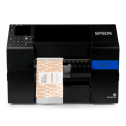
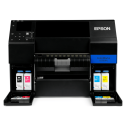
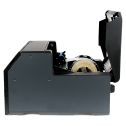
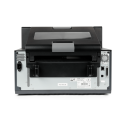
Swipe to see more product images
 Loading

Matte black ink offers darker, sharper black text and images when printed on specific media: matte, textured, and plain. Matte is not recommended for either semi and high-gloss finishes. This version meets BS5609 certification.
Gloss FinishGloss black ink is optimized for printing on a wider variety of substrates when compared to black matte ink. This includes finishes such as glossy, matte, plain, texture, and more. This version meets BS5609 certification.

When deciding between matte vs gloss, consider the type of media you'll be printing on.
Ideally suited for the manual application of on-demand printing. Peel-and-present capability prints individual labels with the liner already removed, allowing for immediate application. An integrated label-taking sensor holds off printing additional labels until the previous label is removed.
Auto CutterAn excellent choice for creating variable-length labels. Auto-cutter capability covers the full spectrum of label sizes with a 4" or 8" built-in cutter. Because labels can be cut at any size, this version helps reduce costs and overall inventory when compared to buying and using pre-printed labels.
Both the peel & present and auto cutter options will allow for the use of a label rewinder.
Thank you for your request. A member of our team will be in touch with your special pricing shortly.
If you have any questions in the meantime, please don't hesitate to call (1-800-875-7000) or email us (support@smithcorona.com).
Your $1,000 label coupon buys more at Smith Corona. Purchase your Epson ColorWorks C6500 from us and get FREE compatible inkjet labels at our factory direct prices. Coupon provided after printer purchase. Questions? Call 800-875-7000.
Shop Compatible LabelsThe right printer starts with the right information. Use the links below to explore the Epson ColorWorks C6500 and see how it fits your business.
See how the Epson C6500P fits your label line, with a closer look at print quality, supported command languages, connectivity, and remote management.
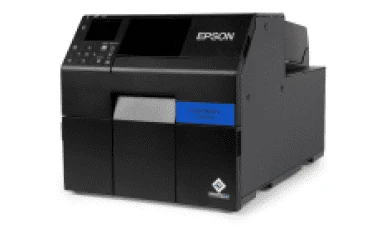
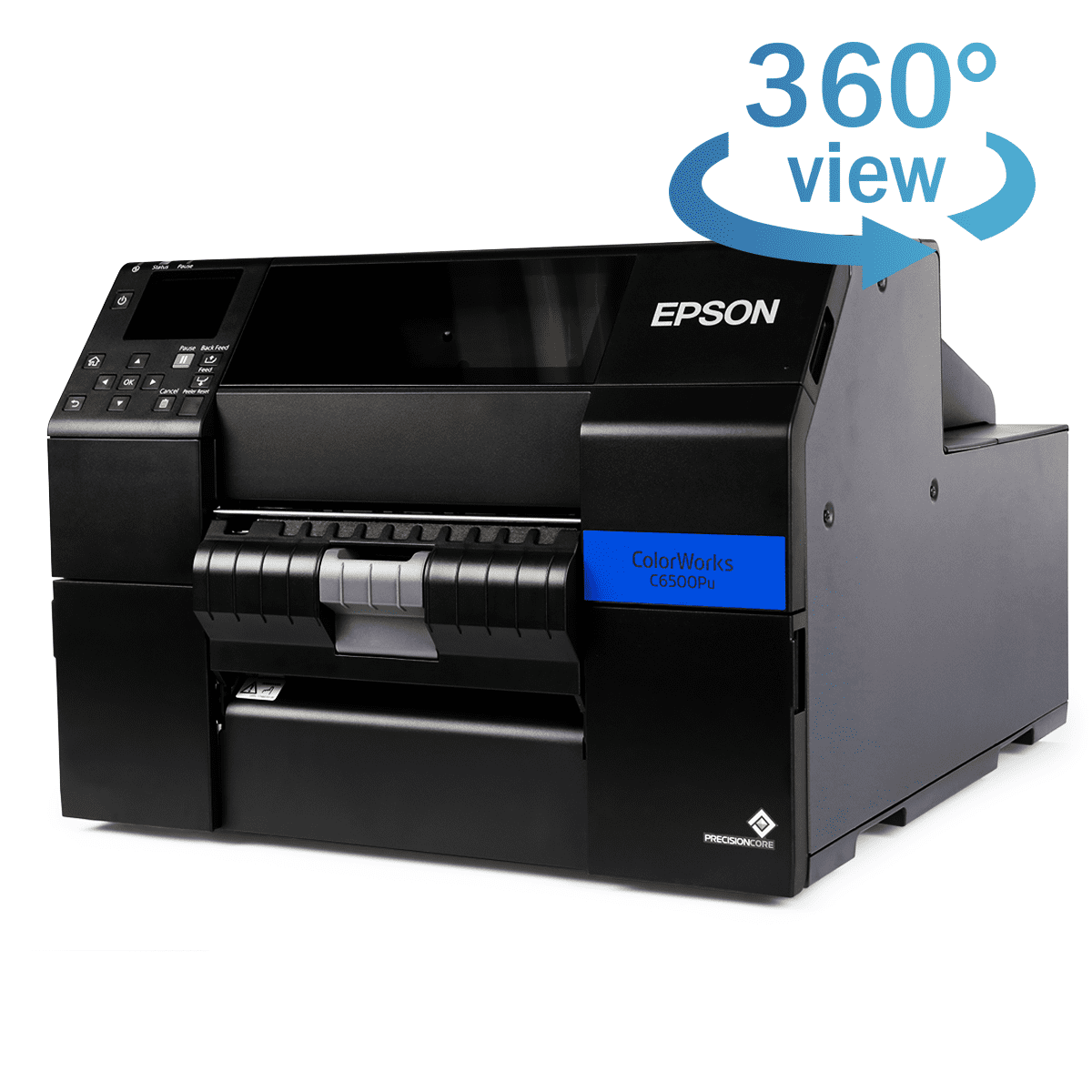
The Epson ColorWorks C6500P is a color inkjet label printer engineered to produce vibrant, detailed labels on demand. This model has a built-in peeler that separates each label from its liner, making it ready for immediate application.
Behind that print quality is Epson PrecisionCore technology, which produces sharp text, clear barcodes, and detailed images. The permanent printhead is designed to last the life of the printer, reducing the need for routine printhead replacements.
Available in gloss black and matte black ink versions, the C6500P offers options for different label materials. Gloss black ink works with a wider range of media, while matte black produces deeper blacks on matte and plain paper labels.
Through PrecisionCore technology, Epson ColorWorks printers are able to deliver top of the line print quality for text, images, barcodes, and more.
Designed for speed and precise ink placement, the C6500’s printhead works with a resolution of up to 1200 × 1200 dpi to produce vibrant colors, smooth gradations, and sharp image details on your labels.
ZPL II support helps Epson ColorWorks printers work with existing label-printing software, reducing the need for reprogramming.
ESC/Label gives users complete control to customize their inkjet printer. Its command extensions support color product images, logos, and color-coded fields to highlight key information and reinforce brand identity.
Users can also configure different label types and sizes while arranging text, barcodes, logos, or graphics in any desired position on the label.
Epson ColorWorks C6500 remote management tools help IT and support teams monitor and manage networked printers across multiple locations. Teams can configure printer settings and deploy changes to groups of printers without visiting each device.
These tools support email alerts for issues that need attention, remote firmware updates, and network configuration. Browser-based access lets teams view and adjust supported settings from a computer or an Apple or Android smartphone, making routine printer management more convenient.
All Epson ColorWorks C6500 printers are equipped with a general purpose I/O port, giving automation developers full control to seamlessly integrate their printer into almost any workflow.
Users can synchronize the control and timing of their printer with external devices, like automatic label applicators and label unwinders and rewinders, while receiving necessary information on each printer's supply levels, status, faults, and readiness.
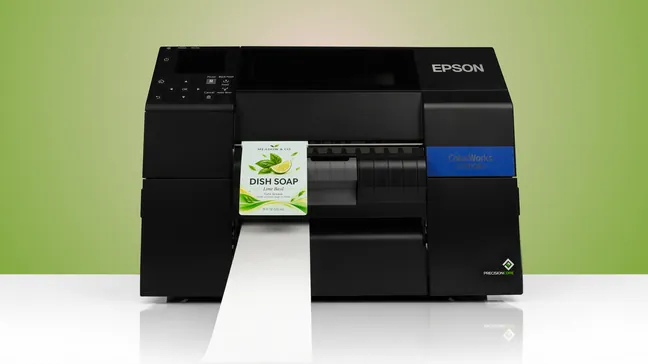

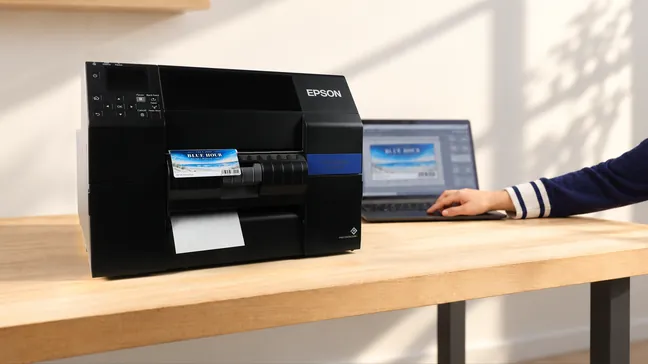
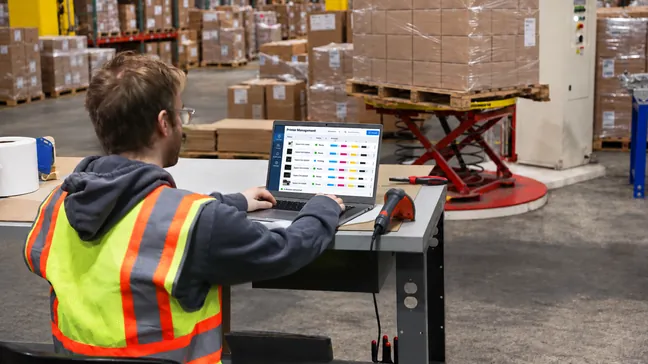
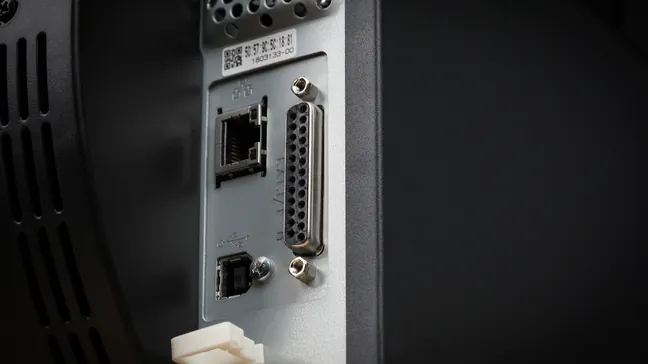
Get to know the Epson ColorWorks C6500P before your first print. Explore its design and see how it all works.
Select a marker to see the features in action
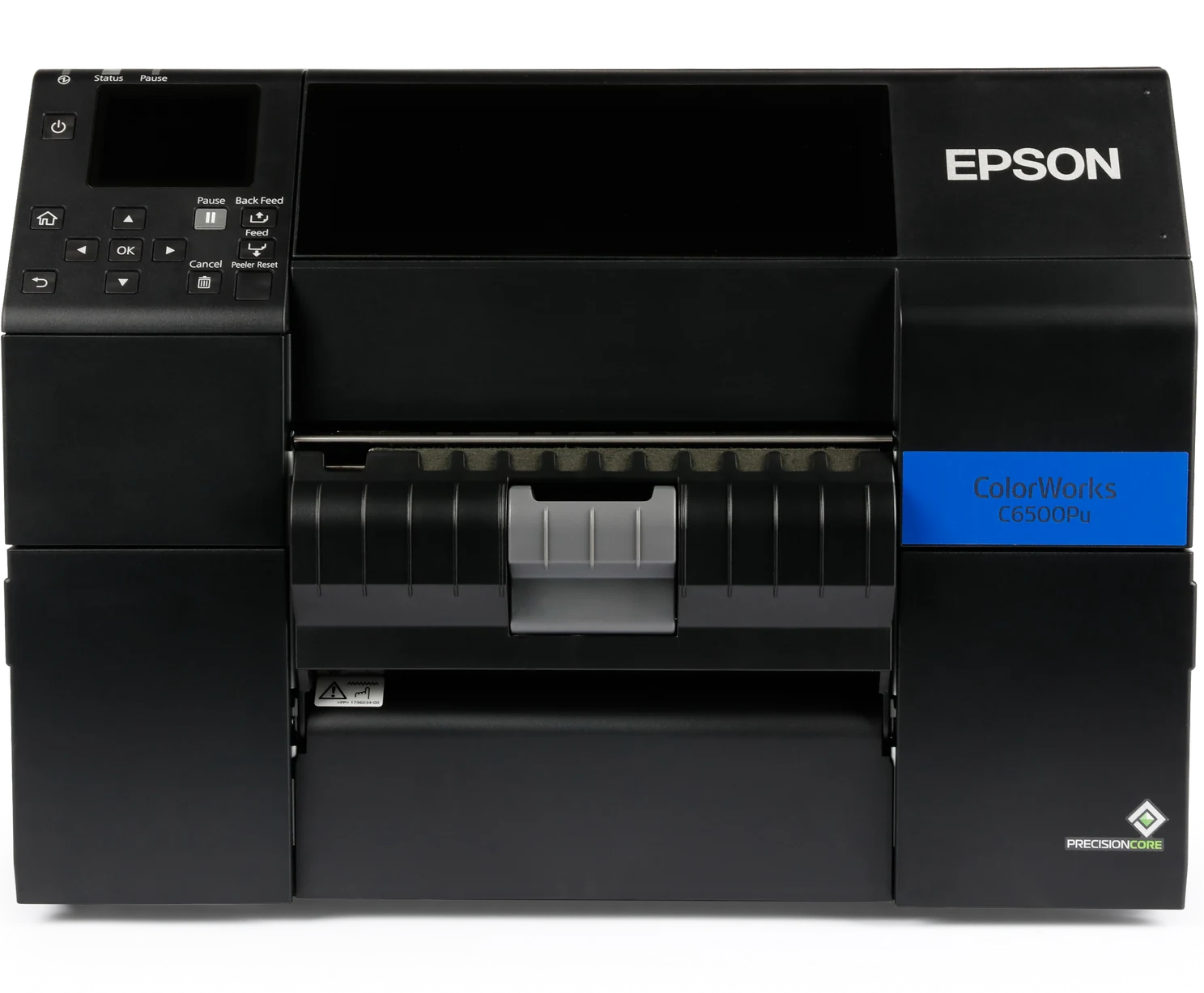
| Printer Dimensions | 17.5" x 20.9" x 12.8" |
|---|---|
| Printer Weight | 57.3 lbs |
| Printer Shipping Weight | 81.6 lbs |
| Remote Management | Yes |
| Connectivity | Ethernet 1000-T/100-TX/10-T, USB 2.0 |
|---|---|
| Printer Language | ESC/Label, ZPL II emulation |
| Factory Warranty | 1 Year |
| Operating Systems | Windows 11, 10 (32-bit/ 64-bit), 8.1 (32-bit/ 64-bit), 8 (32-bit/ 64-bit), 7 SP1 (32-bit/ 64-bit), Vista SP2 (32-bit/ 64-bit), Windows Server 2022, 2019, 2016, 2012 R2, 2012, 2008 R2 SP1, 2008 SP2 (32-bit/ 64-bit), Mac OS 10.6.8 or later, macOS 11 or later. Operation confirmed: Linux CentOS 7 (x86_64), Linux Ubuntu 18.04 (x86_64) |
| Printhead | Serial Inkjet PrecisionCore® TFP® |
|---|---|
| Ink Type | UltraChrome® DL pigment ink |
| Ink Colors | CMYK in individual pigment ink |
| Feed Option | Peeler |
| Max Print Speed | Up to 5.0" per second (Max Speed Mode, 3.5" width) |
| Max Resolution | 1200 x 1200 dpi |
| Media Sensor | Gap, Black Mark, Continuous |
| Media Types | Matte Paper, Matte Polypropylene |
|---|---|
| Media Thickness | 0.005" – 0.009" (0.129 mm – 0.236 mm) |
| Max Media Width (Including Liner) | 8.5" |
| Max Print Width | 8.34" |
| Max Print Length | 24" |
| Max Roll Outer Diameter | 6.0" |
| Inner Core Diameter | 3.0" |
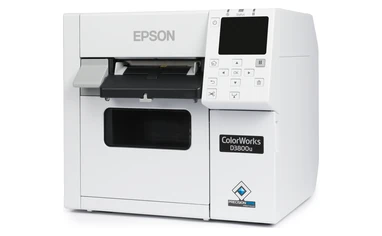
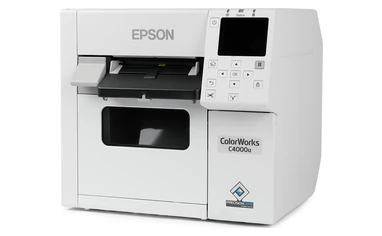
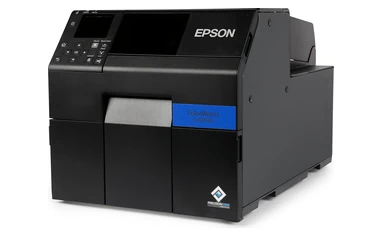
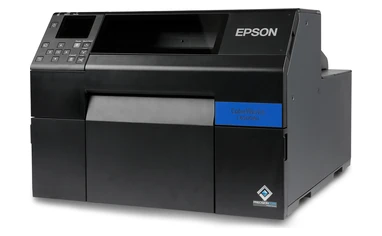
Find the right Epson ColorWorks printer for your business. Compare key specifications, features, and pricing in the chart below.
| Printer Models: | D3800 | C4000 | C6000 | C6500 | C8000 |
|---|---|---|---|---|---|
| Model Pictures |
|
|
|
|
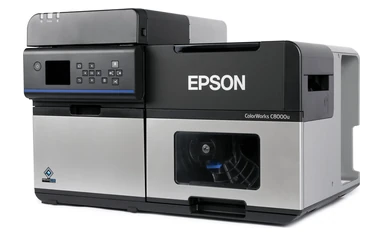
|
| Ink Type | Epson Genuine Dye Ink | UltraChrome® DL Pigment Ink | UltraChrome® DL Pigment Ink | UltraChrome® DL Pigment Ink | UltraChrome® DL Pigment Ink |
| Printhead | Serial Inkjet PrecisionCore® TFP® | Serial Inkjet PrecisionCore® TFP® | Serial Inkjet PrecisionCore® TFP® | Serial Inkjet PrecisionCore® TFP® | PrecisionCore® Line Head |
| Print Resolution | 600 x 1200 DPI | 1200 x 1200 DPI | 1200 x 1200 DPI | 1200 x 1200 DPI | 600 x 1200 DPI |
| Print Speed | 3.94" Per Second | 3.94" Per Second | 5.0" Per Second | 5.0" Per Second | 11.8" Per Second |
| Feed Options | Auto Cutter | Auto Cutter | Auto Cutter Or Peeler | Auto Cutter Or Peeler | Auto Cutter |
| Operating Systems | |||||
| Connectivity | Ethernet 1000Base-T/100Base-TX/10Base-T, USB 2.0, Wi-Fi Optional | Ethernet 1000Base-T/100Base-TX/10Base-T, USB 2.0, Wi-Fi Optional | Ethernet 1000-T/100-TX/10-T, USB 2.0 | Ethernet 1000-T/100-TX/10-T, USB 2.0 | Ethernet 1000Base-T/100Base-TX/10Base-T, USB 2.0, USB 3.0, Wi-Fi Optional |
| Resources | — | Our Printer Review | Our Printer Review | Our Printer Review | Our Printer Review |
| Pricing | Starting at $1,499 | Starting at $2,499 | Starting at $3,059 | Starting at $3,965 | Starting at $9,630 |
| Ink Set | One Dye Ink Set (No Matte/Gloss Choice) |
Available In Gloss And Matte | Available In Gloss And Matte | Available In Gloss And Matte | Available In Gloss And Matte |
| Max. Outer Diameter | 4.0" | 4.0" | 8.0" | 6.0" | 8.0" |
| Max. Print Width | 4.25" | 4.25" | 4.25" | 8.34" | 4.25" |
| Label Width (Including Liner) | Roll: 1.0" – 4.41" Fanfold: 2.0" – 4.41" |
Roll: 1.0" – 4.41" Fanfold: 2.0" – 4.41" |
Auto Cutter: 1.0" – 4.4" Peeler: 1.0" – 4.4" |
Auto Cutter: 1.0" – 8.5" Peeler: 1.0" – 8.5" |
Internal Roll: 1.0" – 4.40" External Roll/Fanfold: 1.97" – 4.40" |
| Buy Now | Epson D3800 | Epson C4000 | Epson C6000 | Epson C6500 | Epson C8000 |
| Media | Gloss Black Ink | Matte Black Ink |
|---|---|---|
| Matte Paper | Good Image | Richer Image ― Darker Black |
| Matte Polypropylene | Good Image | Richer Image ― Darker Black |
| Gloss Paper | Excellent Image | Not Recommended |
| Gloss Polypropylene | Excellent Image | Not Recommended |
The Epson ColorWorks CW-C6500 is the only 8" printer in the ColorWorks lineup. It prints labels up to 8.34" wide on media up to 8.5" wide (including liner), at up to 1200 x 1200 dpi. Every other ColorWorks model prints up to 4.25" wide. That extra width makes the C6500 a good fit for GHS drum labels, large shipping and pallet labels, and printing several labels side by side across the roll.
The Epson ColorWorks CW-C6500A has an auto-cutter, and the Epson ColorWorks CW-C6500P has a peeler. The C6500A’s cutter can cut continuous labels into different lengths, and it can cut after every label or at the end of each print job. The C6500P’s peeler separates each label from its backing and holds it until you take it, then prints the next one, which works well if you apply labels by hand or with an applicator. The C6500A takes media 1.0" to 8.5" wide (including liner), and the C6500P takes media 2.0" to 8.5" wide (including liner).
For most GHS labels, the Epson ColorWorks CW-C6500 Matte is the better choice. On matte synthetic stock, it prints darker, sharper black text and pictogram borders. If you also print glossy product labels, choose the CW-C6500 Gloss instead, since Epson doesn’t recommend matte black ink on semi-gloss or high-gloss media. Both versions are BS 5609 certified when paired with a certified synthetic label stock, so either works for GHS labels that need to meet BS 5609.
Yes. The Epson ColorWorks CW-C6500 takes media as narrow as 1.0" on the C6500A and 2.0" on the C6500P, so both versions can print smaller labels, including standard 4" x 6" labels. It also prints faster on narrower labels: up to 5" per second at a 3.5" print width, compared with 3.4" per second at 8", in Max Speed mode. If all your labels are 4" wide or narrower, though, the CW-C6000 or CW-C8000 is a more cost-effective choice.
The Epson ColorWorks CW-C6500 prints up to 8.34" wide. The C6500A takes media 1.0" to 8.5" wide (including liner), and the C6500P takes media 2.0" to 8.5" wide (including liner). Labels can be 0.31" to 24" long. Internal rolls can be up to 6" in outside diameter on a 3" core. Media thickness can range from 0.005" to 0.009".
The Epson ColorWorks CW-C6500 holds rolls up to 8.5" wide, about twice as wide as the CW-C6000’s. A roll that wide would be much heavier and bulkier at 8" in outside diameter, so the C6500’s internal roll holder is limited to 6" instead. Both printers use a 3" core. For long runs with fewer interruptions, you can feed fanfold media from the back of the printer or add an external unwinder. Smith Corona makes 3" core, 6" OD inkjet rolls that fit the C6500.
Yes, with the right media. The Epson ColorWorks CW-C6500 with UltraChrome DL pigment ink is BS 5609 certified when paired with a certified synthetic label stock, and the certification covers both the Gloss and Matte versions. Its 8.34" print width covers common 55-gallon drum label sizes. Not every GHS label needs BS 5609, but any that do must be printed on a certified synthetic stock, since the certification applies to the printer and label material together.
Yes. Epson sells a spare 8" spindle (SP8X) for the Epson ColorWorks CW-C6500. The spindle is the rod your label roll slides onto inside the printer. Because the C6500 is built for high-volume printing with large, heavy rolls, reloading a roll can take time while the printer sits idle. With a spare spindle, you can load your next roll ahead of time, then just swap it in when the current roll runs out. A spare spindle also makes it faster to switch between different types of labels. Contact us to confirm the right part number before you order.
Yes. The Epson ColorWorks CW-C6500 supports Zebra ZPL II natively, so your existing ZPL label formats can print without reprogramming. You can add color to fields, logos, and warnings using ESC/Label color extensions. It also works with SAP and has a port for connecting automatic label applicators. Test complex ZPL formats on the C6500 before rolling it out across your fleet.
The Epson ColorWorks CW-C6500 has drivers for Windows 11, 10, 8.1, 8, 7 SP1, and Vista SP2, Windows Server 2008–2022, and macOS (Mac OS X 10.6.8 or later). Operation has also been confirmed on CentOS 7 and Ubuntu 18.04 (x86_64).
You connect the Epson ColorWorks CW-C6500 to a label applicator through its GPIO port, a 25-pin D-Sub connector on the printer. Through this port, the printer tells the applicator when it’s ready, when ink or other supplies are low, and when there’s a fault. The applicator can tell the printer to pause, clean the printhead, or print. Setup is usually handled by an automation integrator as part of a print-and-apply line. The CW-C6500P’s peeler is especially well suited to automated application.
The Epson ColorWorks CW-C6500’s Windows driver works with BarTender, NiceLabel/Loftware, TEKLYNX CODESOFT, and similar label design programs. It also works with SAP and major middleware, and with Epson Label Boost for adding color to shipping labels. Because the C6500 supports ZPL II, ERP and warehouse management systems that already send ZPL to Zebra printers can print to it directly.
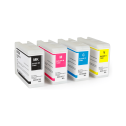
The Epson ColorWorks CW-C6500 uses four 80 mL SJIC35P UltraChrome DL pigment ink cartridges. The cyan (SJIC35P-C), magenta (SJIC35P-M), and yellow (SJIC35P-Y) cartridges are the same for every C6500. The black is Gloss Black (SJIC35P-BK). The CW-C6000 uses the same cartridges, and the printer only accepts genuine Epson cartridges.
The Epson ColorWorks CW-C6500 uses four 80 mL SJIC35P UltraChrome DL pigment ink cartridges. The cyan (SJIC35P-C), magenta (SJIC35P-M), and yellow (SJIC35P-Y) cartridges are the same for every C6500. The black is Matte Black (SJIC35P-MK). The CW-C6000 uses the same cartridges, and the printer only accepts genuine Epson cartridges.
The Epson ColorWorks CW-C6500 uses the SJMB6000/6500 maintenance box, the same one as the CW-C6000. It collects waste ink from printhead cleaning, and you’ll need to replace it when the printer says it’s full. The printer’s display shows how much room is left. One comes with the printer, but we suggest keeping a spare on hand so you aren’t stuck waiting when it fills up.
It depends on your design. On the Epson ColorWorks CW-C6500, ink use is driven by how much of each label your design covers, not just the label size. A full-color 8" x 6" label uses roughly twice as much ink as a 4" x 6" label with the same design. Labels with more white space and less color, like most GHS labels, use much less. For a real cost per label, send us your artwork and monthly volume, and we’ll give you an estimate.
No. The Epson ColorWorks CW-C6500 has a permanent PrecisionCore TFP printhead designed to last the life of the printer, so it isn’t something you’ll replace like ink. To help keep print quality consistent over that time, the printer uses Nozzle Verification Technology to check for missing dots, automatically maintains the printhead, and compensates for any missing dots it finds. If the printhead has a hardware problem, it’s covered by Epson’s 1-year limited warranty, or longer if you buy an Epson extended service plan.
The paper-feed mechanism on the Epson ColorWorks CW-C6500 is rated for about 124 miles (200 km) of media. On the CW-C6500A, the auto-cutter is rated for up to 1.5 million cuts on paper liner.
Streaks or white lines on Epson ColorWorks CW-C6500 labels usually mean the printhead nozzles are clogged. Print a nozzle check pattern by going to Menu > Maintenance > Print Head Nozzle Check on the printer, or by using Nozzle Check in the driver’s Printer Utilities. If any lines are missing, run a printhead cleaning and print the pattern again. It’s also worth checking that the media type setting matches the label stock you loaded. If you see vertical white spots on a CW-C6500A, follow the cutter-area troubleshooting steps in Epson’s User’s Guide.
Faded or smeared black on Epson ColorWorks CW-C6500 Matte labels usually means you’re printing on semi-gloss or high-gloss media. Matte black ink is made for porous surfaces like plain and matte paper. On semi-gloss or high-gloss stock, it sits on top instead of soaking in, so it can look faded or smear easily. To fix it, switch to plain, matte, or matte synthetic stock. If you need glossy labels, the CW-C6500 Gloss is a better fit, since its gloss black ink works on both gloss and matte finishes.
Smudged Epson ColorWorks CW-C6500 Gloss labels on plain paper usually mean the media type setting doesn’t match your stock. Plain paper absorbs ink differently than gloss media, so the setting matters. If it’s wrong, ink can take longer to dry, so labels can smudge easily. To fix it, set the media type to plain paper and let labels dry completely before handling them. If you mostly print on plain or matte stock, the CW-C6500 Matte is a better fit, since its matte black ink is made for porous surfaces.
To calibrate the media sensor on the Epson ColorWorks CW-C6500, go to Menu > Media Setting > Media Detect on the printer and set it to Gap or Black Mark to match your roll. Then open the driver’s Printer Setting Utility, go to Advanced Settings, and run Adjust Media Detection Sensor. The printer feeds the media back and forth to learn the gap or mark. The gap between die-cut labels must be about 0.08" to 0.24" (2–6 mm). Our labels have a 0.125" gap, which falls within that range.
The Epson ColorWorks CW-C6500’s top speed of 5" per second applies only in Max Speed mode at a 3.5" print width. Wider labels and higher quality settings slow it down. At the full 8" width, the top speed in Max Speed mode is 3.4" per second. In Normal mode, it prints about 1.3" per second, and in Max Quality mode, about 0.2" per second. Large files and slow data transfer can also reduce your actual speed.
Yes. Every Epson ColorWorks CW-C6500 (C6500A or C6500P, Gloss or Matte) bought online from Smith Corona comes with a one-time-use $1,000 coupon for free blank inkjet labels. We’ll email you the coupon after your purchase. It can only be used on blank inkjet labels, not tax, shipping, or other products. If you don’t receive it, email us at support@smithcorona.com.
No. Smith Corona ships every Epson ColorWorks printer for free, including the Epson ColorWorks CW-C6500. If you’re buying three or more printers, call us at 800-875-7000 for a volume quote. Payment terms are available for qualified accounts.
The Epson ColorWorks CW-C6500 comes with Epson’s 1-year limited warranty with depot repair, meaning you send the printer to Epson to be fixed. You can extend your coverage to as much as 5 years total with an Epson extended service plan.
Yes. An Epson Preferred Plus Spare-in-the-Air plan upgrades the Epson ColorWorks CW-C6500’s standard depot repair to a next-business-day exchange. Instead of sending your printer in to be fixed, Epson ships you a replacement printer the next business day. Shipping is paid both ways, and requests need to be made by 1 p.m. Pacific. Plans are available in 1-year increments, up to 5 years of total coverage. Call us at 800-875-7000 to add a plan.
Evaluate your artwork in print before choosing your labels. Request a sample printed with an Epson ColorWorks printer to review the colors, detail, and label material firsthand.
Email support@smithcorona.com with your preferred label size, finish, and material. Attach your artwork as a PDF file.
We may not have your exact label size available for a sample print, but we’ll work with you to find a suitable alternative for evaluating your design and print quality.
Watch your inbox after submitting your request, as we may contact you to confirm details or ask for additional information.
Explore label materials for your application. Request samples directly from the product page for any stock inkjet label.
Questions? Email info@smithcorona.com to discuss available sample options.
Whether you have a question about your Epson ColorWorks printer, compatible inkjet labels, or an order, Smith Corona is here to help. Contact our team to discuss what you need and the next steps.
Email: support@smithcorona.com
Phone: 800-875-7000
Include your printer model, a brief description of your question or issue, and any error messages. For print quality concerns, attach a photo of the printed label to your email. If you’re contacting us about an order, please include your order number.

Smith Corona is a certified Epson partner, offering the best in ColorWorks label printing solutions. Whether you need vibrant, full-color labels or a reliable on-demand printing system, we provide expert support and factory-direct pricing. Explore our selection of Epson ColorWorks printers and labels, backed by our commitment to quality and customer service.


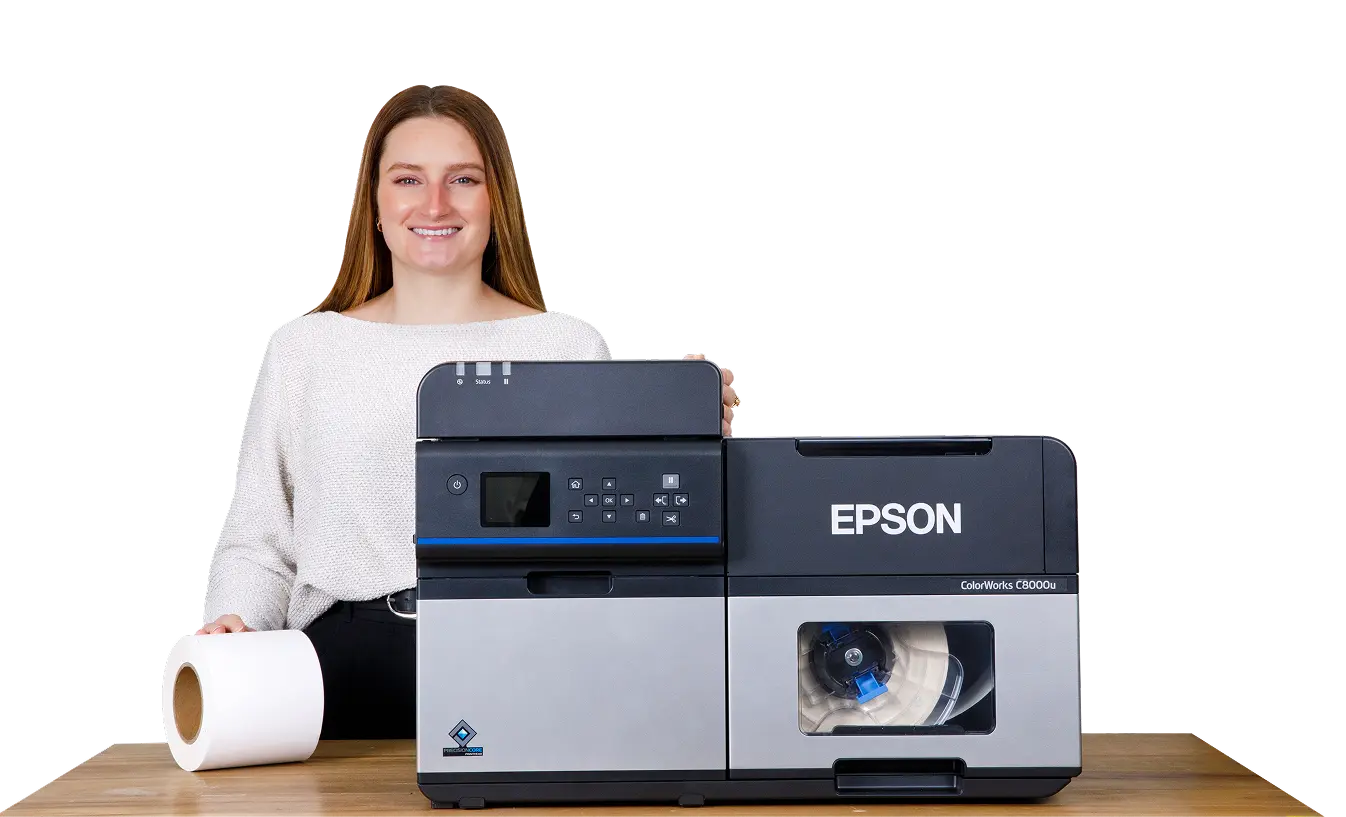
So, you want to upgrade your black and white thermal printer to color. Not just that, you want a printer for on-demand manual applications.
Interesting…What if I told you that there was a printer just like this? A printer that peels labels right off the liner for you to apply?
Not only that, it prints high-quality, colorful images on-demand. And all for under $5000.
Don’t believe me? Well, say hello to the Epson Colorworks C6500P!

This model is Epson’s first color inkjet label printer to offer a peel-and-present option for quick and easy print-and-apply applications. That’s right, labels are printed and ready to be applied ASAP.
Because really…who has time to sit around and peel labels off of the liner? Not the warehouse worker who’s printing durable drum labels. Or the wine maker printing prime labels for their new harvest.
Seriously, though. The C6500P has some great reviews attached to its name. But how sincere are those ratings?
Let’s take a closer look into what makes this inkjet printer such a hit.
The Epson C6500 series comes with a great dilemma for users: which key feature do you choose?
For this article, I’m going to focus on the peeler option (hence the P on the end of the C6500P). And if manual application of labels on-demand is what you’re looking for, this printer is it.
The Epson C6500P comes equipped with peel-and-present capabilities – no attachment necessary! However, it cannot be removed. The peeler option is a permanent feature for this printer model.
A built-in peeler automatically removes labels from the liner as they print. This allows labels to print quickly (and individually) for immediate application.
What kind of labels, you ask? This printer utilizes inkjet specific labels on 3” core rolls with options to print on paper or polypropylene.
And don’t worry. This Epson model won’t start spitting out inkjet labels left and right with large print batches. Thanks to a built-in sensor, the next label won’t print until the current label is fully removed.
If choosing your main printer feature wasn’t enough, there’s another important question you’ll need to ask yourself: matte or gloss?
That’s because the C6500P comes with versions for each ink type.
Choosing this ink set will affect the inkjet labels you’ll be printing. And you’ll want to be very careful in your choice. Because you’re stuck with that version and that version only.
| Media | Gloss Black Ink | Matte Black Ink |
|---|---|---|
| Matte Paper | Good Image | Richer Image- Darker Black |
| Matte Polypropylene | Good Image | Richer Image- Darker Black |
| Gloss Paper | Excellent Image | Not Recommended |
| Gloss Polypropylene | Excellent Image | Not Recommended |
Gloss inks are more versatile than matte as they can be used on both gloss and matte media. When used with gloss media, they provide excellent image quality.
The main difference between the 2 is the black ink.
Matte ink provides a darker, more rich black than gloss ink. This is especially true when paired with matte media. However, it isn’t recommended for matte ink to be used on gloss media.
The C6500P uses a pigment-based ink in the standard CMYK colors. Pair with synthetic label materials for any type of durable label application.
Just be sure to carefully consider which printer types you’ll need before clicking the “buy” button.
Before any major purchase, I make sure I’m aware of both the good and bad of that product.
Plus, I want to know what makes this item superior to others like it on the market. Well the Epson C6500P is no different.
Let’s take a deeper look at the positives this printer has to offer that make it a product worth considering:
Most printers will require you to replace the printhead at some point during your printer’s lifespan. But not Epson.
They developed new technology to not only circumvent this, but increase the abilities of their ColorWorks printer. It’s called PrecisionCoreⓇ.
First, PrecisionCoreⓇ is designed to last the entire life of your Epson printer. This means no replacements, no additional costs, no wasted downtime waiting for a new part.
Epson relies on Nozzle Verification Technology to automatically detect and fix clogged nozzles, preventing print defects and issues that would require a new printhead.
Second, this “next-generation printhead technology” is engineered to achieve 2 core points: professional quality and dramatic speed.
This printhead has 2-3 times the resolution as their previous piezo printheads. At 40 million dots per second (that’s right, 40 million!), it delivers professional output with impeccable quality for barcodes, texts, and images.
Now you would think such dramatic image quality would hinder the print speed. But that’s not the case with PrecisionCoreⓇ.
The printhead nozzles are designed to fire droplets quickly with multiple drops of ink on-demand. How quickly? 50,000 times per second! All while maintaining peak resolution.
Overall, this technology is a huge reason why Epson is revered as one of the best in the inkjet printing industry. They’ve definitely earned the right to brag with this one.
Ever had technology not work when you need it the most? I know, it’s extremely annoying.
But when it doesn’t work and you have no idea why? This is a whole other level of hell.
Luckily, the C6500P comes with an LED screen that displays all of the information you’ll need when printing.
Not sure how low you are on ink? There’s images of each ink level so you know exactly which color needs replacing. Wondering how many labels are left on a roll? A media counter has been keeping track all along.
Having an issue with “print errors”? Here’s everything you need to know and how to fix it.
Talk about a complete timesaver! You could spend hours looking for the solution to a print error, thus taking time away from your print job and, ultimately, your business’s bottom line.
Of the entire Epson Colorworks collection, the C6500 series is the only one that prints up to 8-inches wide.
If you’re in the game of printing large labels for specific print jobs, this is a HUGE plus. Think hazardous applications for huge chemical drums.
These labels require space to include an abundance of information. Not only that, color plays a huge role when printing safety symbols so they’re easily noticeable.
Combine this with the printer’s BS 5609 certification and ability to print up to 1200 x 1200 dpi resolution for crisp, clear image quality.
Labeling dangerous goods has never been more convenient.
Ever had to have an IT tech or support team dial into your computer to fix an issue? Pretty cool having the problem resolved at your desk, right?
Now imagine always having that support on hand to help. That’s what the Remote Printer Management feature does.
It allows support to remotely monitor your printer’s status. Through this program they can:
And if you’re a business with multiple C6500P printers and need them all running at peak performance, having remote management practically in your back pocket is a gamechanger.
Accessories can be a great addition for your inkjet printer. Especially if you’re looking to make the printing process faster and more efficient.
The Epson ColorWorks C6500P definitely has some options.
Let’s take a look at some of the accessories you can add.

When it comes to the Epson C6500P, using an unwinder and rewinder accessory works a little differently.
Don’t worry, the unwinder still supports using larger rolls of inkjet labels for big print jobs – up to a 10” OD. It’s the rewinder that takes on a different task.
Because the C6500P has a peeler feature, labels are automatically removed from the liner. This means labels cannot be rewound on the rewinder.
But waste liner ends up hanging from the printer. And with each new label that prints, that liner gets longer. This makes your workstation a mess, and can even be a slip hazard.
The rewinder easily solves this problem! First, it’s placed behind the printer and unwinder. Waste liner is then pulled underneath both, where it rewinds as labels print. This makes for a much easier clean up!
To use these tools, you’ll need to adjust the media source setting to the setting for feeding labels from outside of the printer.
But if you’re looking to create a more efficient work environment, this accessory is definitely worth considering.
Nothing is perfect. And sadly, that includes inkjet printers.
While there are some drawbacks to the C6500P, they’re easily fixable to suit your print needs.
Let’s look at how you can still get the most out of this inkjet printer model:
What’s a printer without a program to design and print labels from? That’s like trying to make a peanut butter and jelly sandwich without the peanut butter!
Epson only provides users with a printer driver for the initial setup.
You’ll have to go to Epson’s website and click the one that correlates with your device: Mac, Windows, Linux, SAP and major middleware.
However, most reviews say the setup process is relatively easy. Additionally, this also means you as the user can choose the software program you want. Or the one that best fits your label needs or budget.
Some programs to consider for Epson include Adobe, BarTender, or CODESOFT.
It’s worth noting that this issue only arises for first time use of the C6500P.
During the initial setup, the printer goes through an “ink charging” process. This is simply a way of getting ink into the printer for the first time. Once completed, it then allows ink to move quickly through the printer when operating.
However, the process quickly consumes ink in the full cartridge samples sent with the printer. Meaning your left with less ink to begin printing your labels once setup is finished.
It also means the maintenance box fills up quickly. Think of the maintenance box like a garbage can: excess ink waste gets dumped in during tasks like ink charging. Once it’s full, a new one is installed.
It’s recommended that new buyers add both additional ink cartridges and an additional maintenance box to their purchase.
But remember, this is the only time the printer will consume ink this quickly.
Once the samples are replaced, users can determine any further replacement orders based on their own specific use and labeling needs.
Slow and steady has its pros and cons when it comes to printing.
For all of the other positives the C6500P has, having such a slow print speed is definitely a bummer: only up to 5 inches per second.
This makes it one of Epson’s slowest printers, especially when compared to other models like the C7500G. Users can increase the speed of this model to print faster, although it will lower the print quality setting.
But unlike the C7500G, the C6500P model is specifically made for printing high-quality color labels one at a time. Remember, the label sensor will not allow another label to print until the current one is removed.
So in retrospect, speed isn’t a huge factor when it comes to printing labels with the C6500P.
And with a maximum print resolution of 1200 x 1200 dpi (the highest of the Epson Colorworks printers), a slower print speed is manageable.
Well, the moment of truth has arrived! Now knowing all of this information, is the C6500P worth your money?
If you’re looking for a color printer specifically with peel-and-present capabilities and a maximum print width of 8 inches for larger applications, this is the printer for you!
It’s a sturdy piece of hardware that offers super high-quality resolution for labels you can print-and-apply on demand. And with such a wide print width, the variety of labels you can print are endless.
Yes, no label design software is a bummer. But the quality and precision of your labels outweighs this slight inconvenience.
So if the specifics of this printer ring true for you, the C6500P should definitely be your next purchase.
Looking to purchase your very own Epson C6500P printer? Smith Corona has teamed up with Epson and now offers Colorworks printers, accessories, and inkjet labels! We’re a one stop shop for all of your printer needs!
Visit our website to view all of the Epson printer models we offer. Have questions? We’re here to help! Give us a call at 800-875-7000.
Looking for the right color printer is like the story of Goldilocks.
You want a printer that’s not too much, not too less, but just right. And at a reasonable price that won’t break your bank account.
An inkjet printer that’s helpful to its target audience…I believe this is one of those printers.

The Epson C6500A is the printer you look at when it’s time to upgrade from your old black and white thermal printer. And when you want to print labels up to 8-inches wide. Seriously, that’s why Epson made it.
Now, no printer is by any means perfect. But this printer has a consistent range of good reviews across the board.
So let’s dive in and see if Epson hits it out of the park:
This is like the “choose your player!” sequence in a video game. Each Epson C6500 model comes with its own “weapon of choice.”
And you better choose wisely, because you can only get one.
For this article, we’re going to focus on the auto cutter model. The Epson C6500A comes equipped with a built-in auto cutter feature.
The auto cutter aids in creating variable length labels. That’s right, this means the ability to customize the length of your labels for a wide range of options.
The auto cutter can also be programmed to cut at any point: after each label, at the end of a print job, or not at all. That last option means users can print large batches of labels in one go with easy separation between print jobs.
So what labels specifically are we talking about? This printer utilizes inkjet labels on 3” core rolls with options to print on paper or polypropylene.
Did I mention you’ll also need to decide between a gloss or matte version?
Choosing this ink set will affect the inkjet labels you’ll be printing. So, like with the key model feature above, you’ll need to decide carefully which version you need. Because you can only get one!
So what’s the major difference between the 2? The black ink.
| Media | Gloss Black Ink | Matte Black Ink |
|---|---|---|
| Matte Paper | Good Image | Richer Image- Darker Black |
| Matte Polypropylene | Good Image | Richer Image- Darker Black |
| Gloss Paper | Excellent Image | Not Recommended |
| Gloss Polypropylene | Excellent Image | Not Recommended |
Matte ink provides a darker and richer black on media than gloss black ink. However, gloss inks print excellent image quality when used on gloss media.
Additionally, gloss inks can be printed on matte label media, but matte inks are not recommended for gloss label media.
The C6500A uses a pigment-based ink in the standard CMYK colors. Pair with synthetic label materials for any type of durable label application.
Just be sure to carefully consider which printer types you’ll need before clicking the “buy” button.
Anytime I buy a new product, it’s always about checking the pros and cons. I want to know the standout features that make this item better than others on the market before I commit to a purchase.
Especially if I’m looking to pay thousands of dollars.
So here’s some of the key features I found with the Epson C6500A that made me lean toward a “yes!”
Most printers will require you to replace the printhead at some point during your printer’s lifespan. But not Epson.
They developed new technology to not only circumvent this, but increase the abilities of their ColorWorks printer. It’s called PrecisionCoreⓇ.
First, PrecisionCoreⓇ is designed to last the entire life of your Epson printer. This means no replacements, no additional costs, no wasted downtime waiting for a new part.
Epson relies on Nozzle Verification Technology to automatically detect and fix clogged nozzles, preventing print defects and issues that would require a new printhead.
Second, this “next-generation printhead technology” is engineered to achieve 2 core points: professional quality and dramatic speed.
This printhead has 2-3 times the resolution as their previous piezo printheads. At 40 million dots per second (that’s right, 40 million!), it delivers professional output with impeccable quality for barcodes, texts, and images.
Now you would think such dramatic image quality would hinder the print speed. But that’s not the case with PrecisionCoreⓇ.
The printhead nozzles are designed to fire droplets quickly with multiple drops of ink on-demand. How quickly? 50,000 times per second! All while maintaining peak resolution.
Overall, this technology is a huge reason why Epson is revered as one of the best in the inkjet printing industry. They’ve definitely earned the right to brag with this one.

Technology can be fickle sometimes. It can also be extremely annoying when it doesn’t work right.
And if you have no idea what the issue is, that’s a whole new ballgame of anger.
The LED screen on the C6500A displays all of the information you’ll need when printing.
Can’t remember where you are with ink? These images of the ink levels show which colors need replacing. Not sure how many labels you have left? Media counter has that covered. Print error causing an issue? Here’s the information of what’s wrong and the step by step instructions on how to fix it!
Having this information readily available is such a timesaver. You could spend hours looking for the solution to a print error, thus taking time away from your print job and, ultimately, your business’s bottom line.
Of the entire Epson Colorworks collection, the C6500 model is the only one that prints up to 8-inches wide.
This opens the door for select print jobs that specifically require large labels. Think hazardous applications for huge chemical drums.
Labels for these tasks need to include large amounts of information and colorful safety symbols printed so they can be easily seen and read.
Combine this with the inkjet printer’s BS 5609 certification and ability to print up to 1200 dpi resolution for crisp, clear image quality. This is a winning combination to help ship dangerous goods in maritime environments.
Ever had to have an IT tech or support team dial into your computer to fix an issue? Pretty cool having the problem resolved at your desk, right?
Now imagine always having that support on hand to help. That’s what the Remote Printer Management feature does.
It allows support to remotely monitor your printer’s status. Through this program they can:
And if you’re a business with multiple C6500A printers and need them all running at peak performance, having remote management practically in your back pocket is a gamechanger.
Who doesn’t love adding accessories? For printers, these can help make the printing process faster and easier for your business.
There are several accessories that can be added to your Epson ColorWorks C6500A.
An unwinder and rewinder is an external media holder that sits outside of your printer, either in front or behind. Or both!
It unwinds labels before they print or rewinds them after they print, depending on application. This accessory is perfect for situations that require a larger roll of labels that won’t fit in the printer or for businesses looking to use labels on a label applicator or apply them by hand.
If you’re looking to save more time and money, this accessory is definitely an option to consider attaching to your printer.
It can’t always be sunshine and rainbows. Or in this case, a perfect inkjet printer.
Yes, there are some bumps in the road when it comes to the Epson C6500A. But that doesn’t hinder it from still being a powerhouse piece of equipment.
Let’s look at some hiccups I had with this model and how to easily work around them:
This one is definitely a bummer.
What’s a printer without a program to design and print labels from? That’s like trying to make a peanut butter and jelly sandwich without the peanut butter!
Epson only provides users with a printer driver for the initial setup.
You’ll have to go to Epson’s website and click the one that correlates with your device: Mac, Windows, Linux, SAP and major middleware.
However, most reviews say the setup process is relatively easy.
Additionally, this also means you as the user can choose the software program you want. Or the one that best fits your label needs or budget.
Some programs to consider for Epson include Adobe, BarTender, or CODESOFT.
It’s worth noting that this issue only arises for first time use of the C6500A.
During the initial setup, the printer goes through an “ink charging” process. This is simply a way of getting ink into the printer for the first time. Once completed, it then allows ink to move quickly through the printer when operating.
However, the process quickly consumes ink in the full cartridge samples sent with the printer. Meaning your left with less ink to begin printing your labels once setup is finished.
It also means the maintenance box fills up quickly. Think of the maintenance box like a garbage can: excess ink waste gets dumped in during tasks like ink charging. Once it’s full, a new one is installed.
It’s recommended that new buyers add both additional ink cartridges and an additional maintenance box to their purchase.
But remember, this is the only time the printer will consume ink this quickly.
Once the samples are replaced, users can determine any further replacement orders based on their own specific use and labeling needs.
Slow and steady has its pros and cons when it comes to printing.
For all of the other positives the C6500A has, having such a slow print speed is definitely a bummer: only up to 5 inches per second.
However, the C6500A is specifically made for printing high-quality color designs. And with a maximum print resolution of up to 1200 x 1200 dpi (the highest of any Epson Colorworks printer), a slower print speed is manageable.
This speed does make it one of Epson’s slowest printers, especially when compared to other models like the C7500G. But while the C7500G wins the speed race, it doesn’t provide the same precision for your inkjet labels.
Users can increase the speed of this model to print faster. Just note that it will lower the print quality setting.
| Epson CW-C6500A | Epson CW-C7500G | |
|---|---|---|
| Print Resolution | 1200 x 1200 dpi | 600 x 1200 dpi |
| Max. Print Width | 8.34″ (212 mm) | 4.25″ (108 mm) |
| Max. Media Width | 8.5″ (216 mm) | 4.4″ (112 mm) |
| Ink Type | Pigment-Based, 4 Individual CMYK Cartridges | Pigment-Based, 4 Individual CMYK Cartridges |
| Print Speed | Up to 5″ per second | Up to 11.8″ per second |
| Media Types | Paper, Synthetic, PET Film, Textured, Matte, Gloss/High-Gloss | Paper, Synthetic, PET Film, Matte, Gloss/High-Gloss, Clear |
| Rewinder | Not Included | Not Included |
| Printer Reviews | Not Included | Epson C7500G Review |
| Shop | Epson Compatible Labels | Epson Compatible Labels |
I mean, this is the reason you read through this review in the first place, right? So Is the C6500A worth your money?
If you’re looking for an on-demand color printer that allows you to cut labels at varying lengths and print width up to 8-inches for larger applications, this is the printer for you.
It’s a sturdy printer that offers high resolution and vibrant color printing, especially for a wide range of label length sizes. And it’s one of Epson’s more modestly priced inkjet printers. So you don’t feel like you’re spending too much on one piece of equipment.
Yeah, not coming with its own label design software is kind of a letdown. And printing slower can add some bumps in the road for larger print jobs.
But the quality of color label you’re getting with practically no maintenance or upkeep required outweighs these negatives.
If you’ve been searching for a new color printer, the C6500A is definitely a contender.
Looking to purchase your very own Epson C6500A printer? Smith Corona has teamed up with Epson and now offers Colorworks printers, accessories, and inkjet labels! We’re a one stop shop for all of your printer needs!
Visit our website to view all of the Epson printer models we offer. Have questions? We’re here to help! Give us a call at 800-875-7000.
From national brands to growing small businesses, companies across every industry trust Smith Corona for dependable labeling and printing supplies.












“After testing several suppliers, we chose Smith Corona because they delivered the best overall value. The pricing is noticeably better, the labels run clean, and our printers accepted them right away. No surprises or no downtime. Their quick shipping and friendly support staff have made every reorder a simple process.”

Better pricing, dependable supply, fast shipping, and real support. Everything you need to keep your labeling operation running smoothly.
Our customers consistently save compared to major marketplaces and distributors, without sacrificing quality or performance.
Orders ship fast so you can keep printing, labeling, and shipping without interruption.
Our labels and supplies are tested for clean performance and consistent printing, backed by our satisfaction guarantee.
Real people, real help. Our team is here to answer questions, recommend the right products, and make reordering simple.