Looks Like Your Cart Is Empty!
Log In To Reorder
Swipe to see more product images
 Loading

Sorry for the inconvenience, please select a made to order adhesive option in the card below.
| Adhesive Type | Temperature Range | Why Choose This Adhesive? |
|---|---|---|
| General Purpose | 32°F to 120°F | Most Popular & Least Expensive |
| Freezer Grade | -40°F to 32°F | Ideal for Frozen Applications |
| Removable | 32°F to 120°F | Leaves Minimal Residue Behind |
| Acrylic | 10°F to 120°F | Flexible Solution, Great for Waxy Boxes |
This type of thermal label only requires the label to print. If you only load the blank labels into your printer to print, direct thermal is what you need to choose.
This type of thermal label requires a wax ribbon to print onto a label. If you use a ribbon currently to print, you need thermal transfer labels.
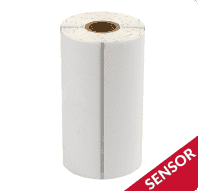
Do you currently have a black line on the liner between each label? If you do, your mobile printer will require labels with a timing mark. A timing mark is a black line on the release liner in between each label. Also called a sensor mark, printers use timing marks to distinguish one label from the next.
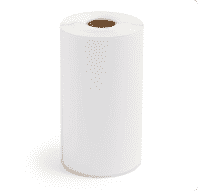
If you don't currently have a black line on the liner between each label, your mobile printer will require blank labels and your printer will rely on gap sensors. Gap sensors are a section of blank space between each label. This allows the printer to distinguish where one label ends and the next begins.
Our most popular and least expensive option. Works for almost every barcoding application. Service temperature range of 32 - 125 degrees.
Perfect for applications where you may need to remove the labels after application. Good for short term removable applications.
Ideal for companies that are applying or storing their labels in refrigerated or frozen applications. These labels will stick in temperatures as low as negative 40 degrees.
A popular choice for almost all labeling projects. Won’t produce a glare or leave smudges from fingerprints. A great low cost option if you are looking for a standard label with excellent print quality.
The perfect choice for a more durable label. Synthetic material that is tear-resistant, water-resistant, and capable of withstanding harsh environments, oils, and chemicals. Ideal for long-term applications.
A unique, versatile way to bring attention to labels. Useful for helping to recognize hazardous materials, drawing cautionary attention, or identification, tracking, and inventory purposes.
A black backing designed to mute out any visible images, text, or colors. Perfect for covering up any obsolete information or previously used labels or barcodes.
A finish that adds an extra layer of protection to help prevent scuffing or markings that can occur during transit. An ideal pick for a more durable paper material.
Not sure which label material is right for you? For short term labeling projects that provide excellent print quality and easy customization to any application, paper is what you need. When you need a more durable label resistant to tearing, smudging, and exposure to the elements like heat and moisture, poly is the perfect fit.
Not sure which label finish you need? If your label project benefits from a smooth, soft, and muted look to enhance your unique designs and give an overall authentic feel, then matte is an ideal choice. If your labels need to "pop" with a reflective shine and polished overlay that accentuates colors to look more vibrant, gloss is the way to go.
Matte black ink offers darker, sharper black text and images when printed on specific media: matte, textured, and plain. Matte is not recommended for either semi and high-gloss finishes. This version meets BS5609 certification.
Gloss FinishGloss black ink is optimized for printing on a wider variety of substrates when compared to black matte ink. This includes finishes such as glossy, matte, plain, texture, and more. This version meets BS5609 certification.

When deciding between matte vs gloss, consider the type of media you'll be printing on.
Ideally suited for the manual application of on-demand printing. Peel-and-present capability prints individual labels with the liner already removed, allowing for immediate application. An integrated label-taking sensor holds off printing additional labels until the previous label is removed.
Auto CutterAn excellent choice for creating variable-length labels. Auto-cutter capability covers the full spectrum of label sizes with a 4" or 8" built-in cutter. Because labels can be cut at any size, this version helps reduce costs and overall inventory when compared to buying and using pre-printed labels.
Both the peel & present and auto cutter options will allow for the use of a label rewinder.
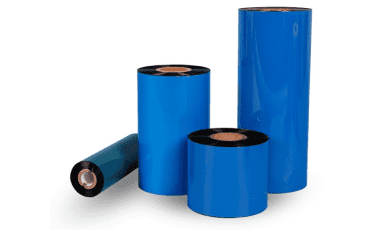
Choosing which ribbon to use depends on what material your label is made from.
Check out the chart below to find what ribbon is right for you.
| Material | Ribbon Type |
|---|---|
| Paper | Wax |
| Polypropylene | Wax Resin |
| Vinyl, Polyester | Resin |
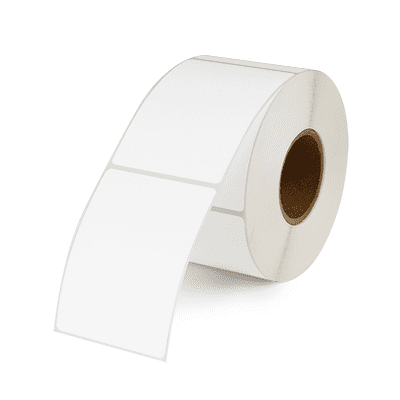
If you're looking for ample space for printing variable information, this is the option for you. Our blank style offers versatility for what to print and where to place it on your scale label. Customize a variety of product names, packed on or sell by dates, weights, prices, barcodes, and more for your business needs.
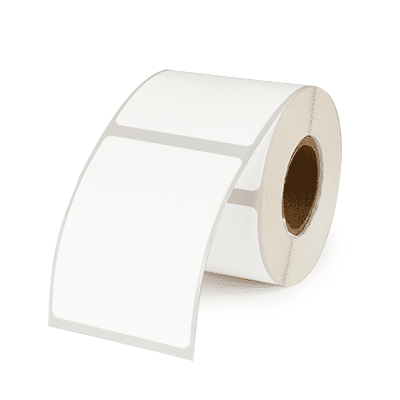
If you're looking for ample space for printing variable information with the benefit of adding promotional efforts, this is the option for you. Our blank style lets you customize text and placement for product names, dates, weights, prices, barcodes, and more to meet your business needs. A perforated tab on the label facesheet can be utilized for promotions, coupons, callouts, and more.
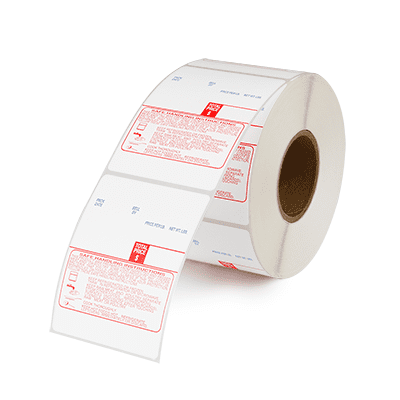
If you're looking to highlight important information on your white label design with a pop of color and an added message, this option is for you. Vibrant blue text holds space for printing variable information while the addition of red "Safe Handling" instructions promotes food safety practices and handling tips.
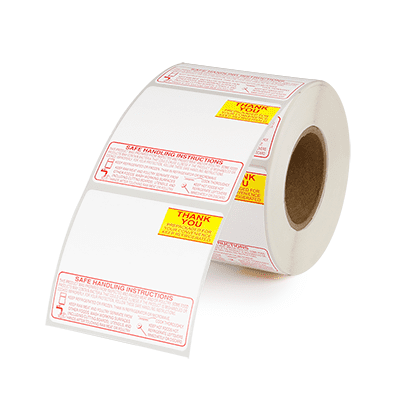
If you're looking to highlight important information on your white label design with a pop of color and an added message, this option is for you. Our vibrant red and yellow or black "Thank You" text compliments the addition of "Safe Handling" instructions to promote food safety practices and handling tips.
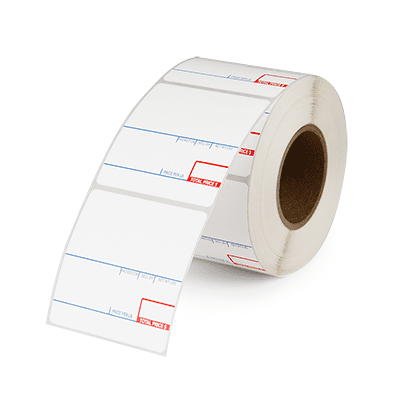
If you're looking to combine a UPC barcode, variable item information, and a list of ingredients in one label, this is the option for you. A crisp white design allows barcodes to easily scan while red and blue text draws attention to dates, prices, and more. Include a list of ingredients to alert customers to crucial product information, including allergens.
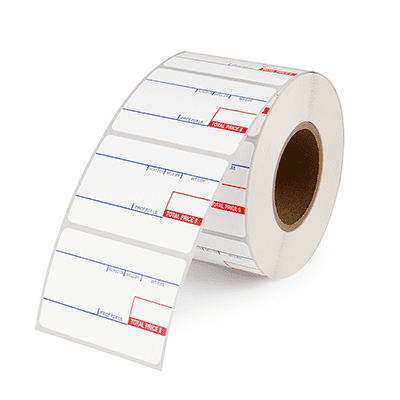
Our preprinted layout has designated areas for important product information like packs, weights, and prices, and sell by dates, with additional space for a UPC barcode. Using a preprinted label allows colors to draw attention and helps highlight important text.
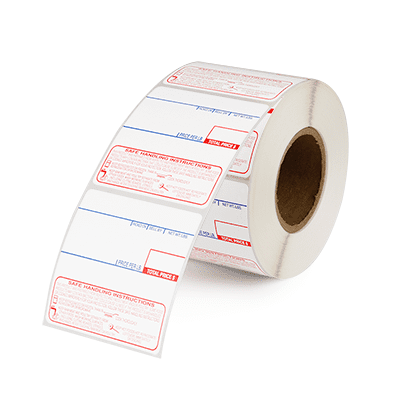
If you're looking to combine a UPC barcode, variable item information, and important "Safe Handling" instructions, this option is for you. Vibrant blue text holds space for printing variable information while the addition of red "Safe Handling" instructions promotes food safety practices and handling tips.
If you choose this option, one of our customer service representatives will reach out to get your logo artwork after you have successfully checked out.
We will then send you a proof for your approval. Once approved, our team will get to work. Please allow for a 4 week lead time for these custom orders.
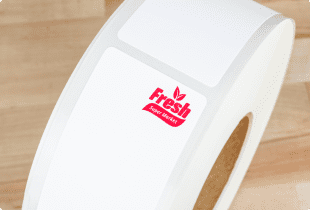
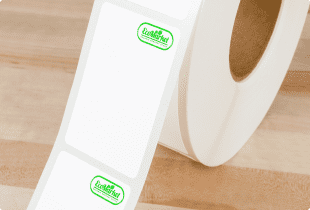
Your logo can only be in 1 color. Additionally, there will be a case minimum for us to add your logo to the labels.
Loading
| Number Of Cases | Carrier | Total Freight | Freight Per Case |
|---|
Please finish configuring your product before estimating shipping.
Orders of this quantity will generally ship small parcel, via UPS.
Alternatively, if you have a FedEx account, you are welcome to use your account and ship collect with that carrier. Either way, we always recommend our customers increase their order quantity high enough to qualify for LTL shipping as that is the cheapest option on a per case basis.
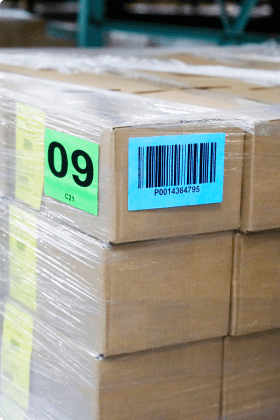
Orders of this quantity will generally ship LTL.
The only requirement is that your order will need a dock for the pallet to be unloaded onto. If you do not have a dock, please let us know at checkout so we can arrange special delivery. We always recommend customers choose LTL as it is the cheapest and safest way for your labels to be shipped.
Loading
Thank you for your submission. Our team will get to work on sending your samples right away.
If you have any questions in the meantime, please don't hesitate to call (1-800-875-7000) or email us (support@smithcorona.com).
Please finish configuring your product before requesting a sample.
Enter your email and number of boxes needed and we will let you know when your selection is available.
Thank you for your interest. We'll let you know when your item is available.
If you have any questions in the meantime, please don't hesitate to call (1-800-875-7000) or email us (support@smithcorona.com).
Thank you for your request. A member of our team will be in touch with your special pricing shortly.
If you have any questions in the meantime, please don't hesitate to call (1-800-875-7000) or email us (support@smithcorona.com).
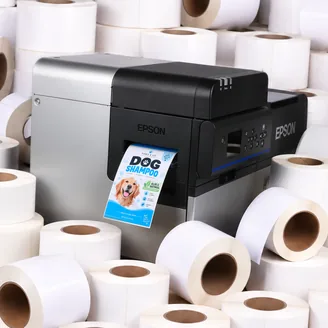
Your $1,500 label coupon buys more at Smith Corona. Purchase your Epson ColorWorks C8000 from us and get FREE compatible inkjet labels at our factory direct prices. Coupon provided after printer purchase. Questions? Call 800-875-7000.
Shop Compatible LabelsThe right printer starts with the right information. Use the links below to explore the Epson ColorWorks C8000 and see how it fits your business.
See how the Epson C8000 fits your label line, with a closer look at print quality, supported command languages, connectivity, and remote management.
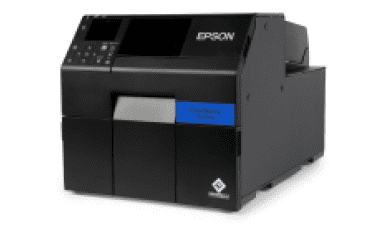
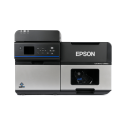
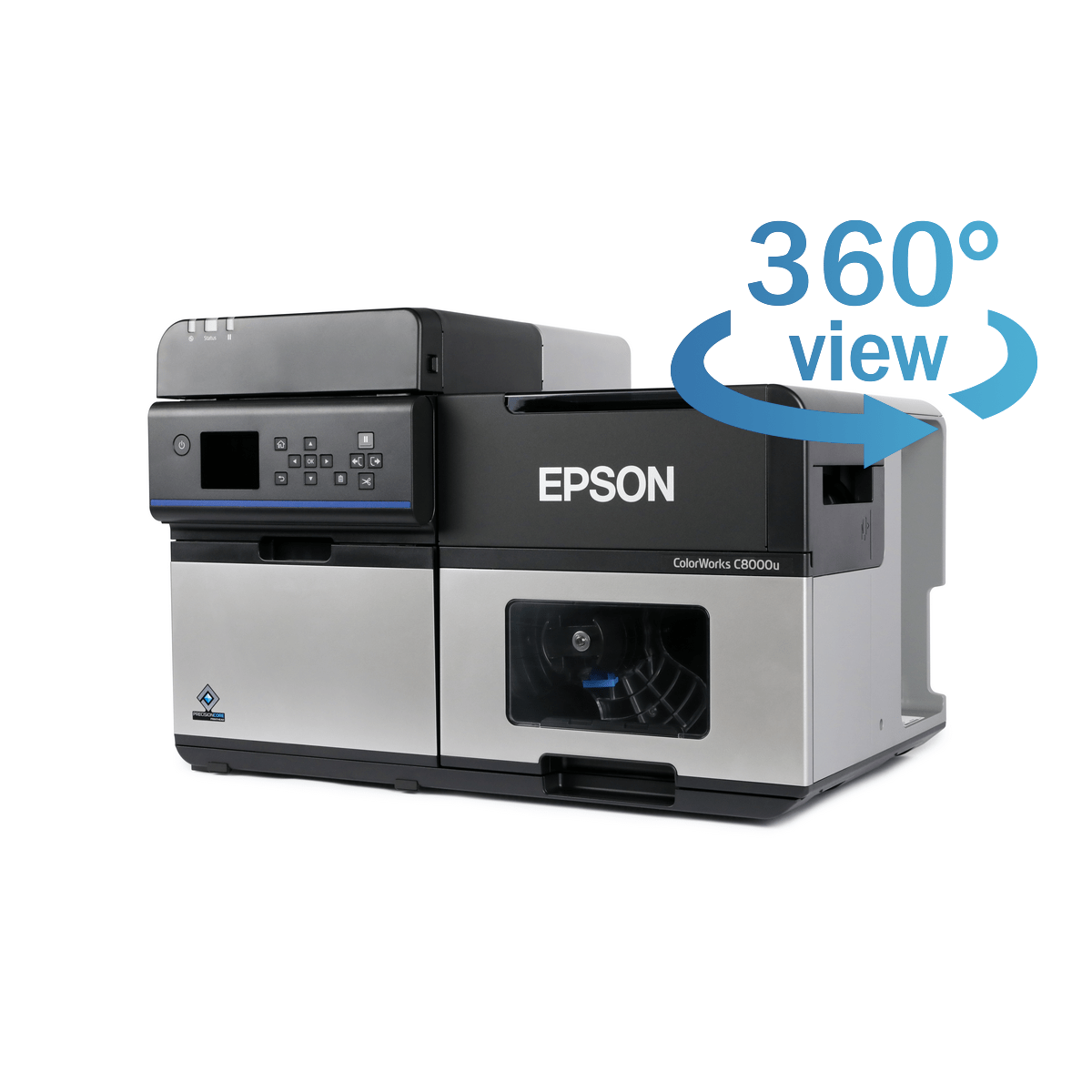
The Epson ColorWorks C8000 is a color inkjet label printer engineered for high-volume production, with print speeds up to 11.8" per second. Its built-in auto cutter lets you print and cut labels in varying lengths to suit different products and applications.
To support that demanding pace, Epson PrecisionCore technology combines precise ink placement with sharp text, clear barcodes, and detailed images. The permanent printhead is designed to last the life of the printer, reducing the need for routine printhead replacements.
Available in gloss black and matte black ink versions, the C8000 offers options for different label materials. Gloss black ink works with a wider range of media, while matte black produces deeper blacks on matte and plain paper labels.
Through PrecisionCore technology, Epson ColorWorks printers are able to deliver top of the line print quality for text, images, barcodes, and more.
With print speeds up to 11.8" per second and resolution up to 600 × 1200 dpi, the C8000 combines fast label production with vibrant colors, smooth gradations, and sharp details to meet high-volume printing demands.
ZPL II support helps Epson ColorWorks printers work with existing label-printing software, reducing the need for reprogramming.
ESC/Label gives users complete control to customize their inkjet printer. Its command extensions support color product images, logos, and color-coded fields to highlight key information and reinforce brand identity.
Users can also configure different label types and sizes while arranging text, barcodes, logos, or graphics in any desired position on the label.
Epson ColorWorks C8000 remote management tools help IT and support teams monitor and manage networked printers across multiple locations. Teams can configure printer settings and deploy changes to groups of printers without visiting each device.
These tools support email alerts for issues that need attention, remote firmware updates, and network configuration. Browser-based access lets teams view and adjust supported settings from a computer or an Apple or Android smartphone, making routine printer management more convenient.
The Epson ColorWorks C8000 is equipped with a general purpose I/O port, giving automation developers full control to seamlessly integrate their printer into almost any workflow.
Users can synchronize the control and timing of their printer with external devices, like automatic label applicators and label unwinders and rewinders, while receiving necessary information on each printer's supply levels, status, faults, and readiness.
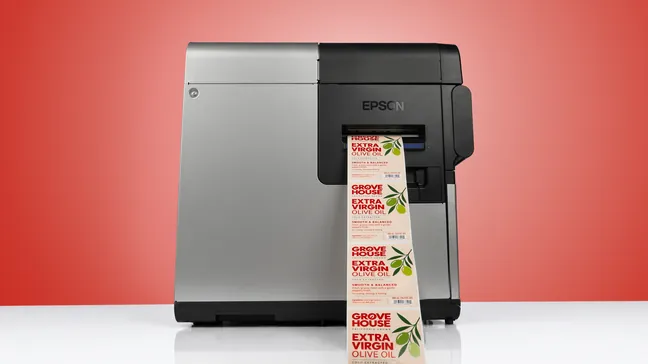
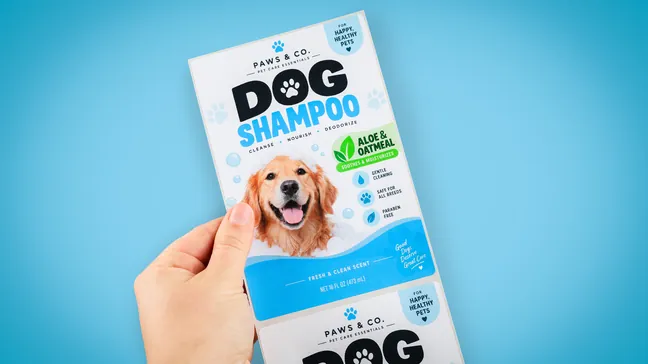
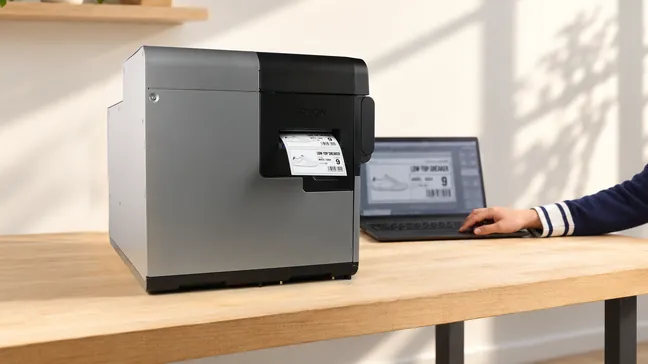
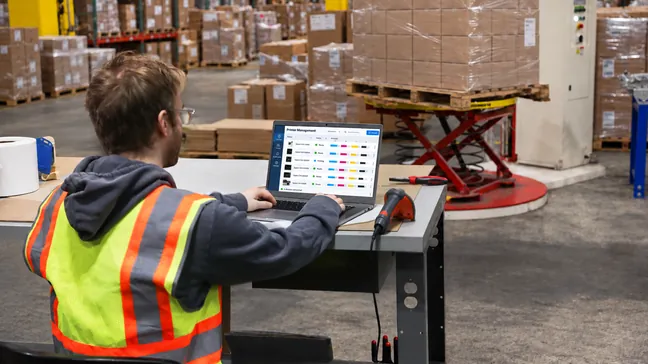
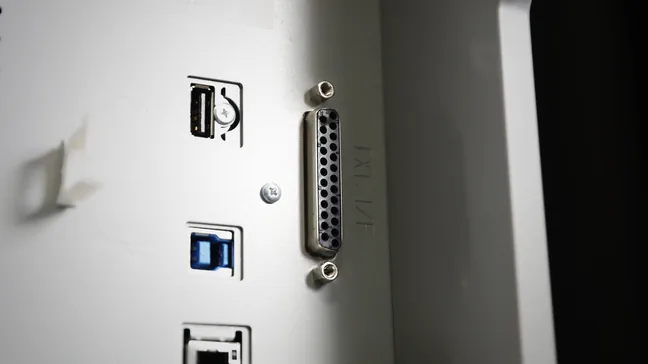
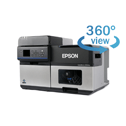
Get to know the Epson ColorWorks C8000 before your first print. Explore its design and see how it all works.
Select a marker to see the features in action
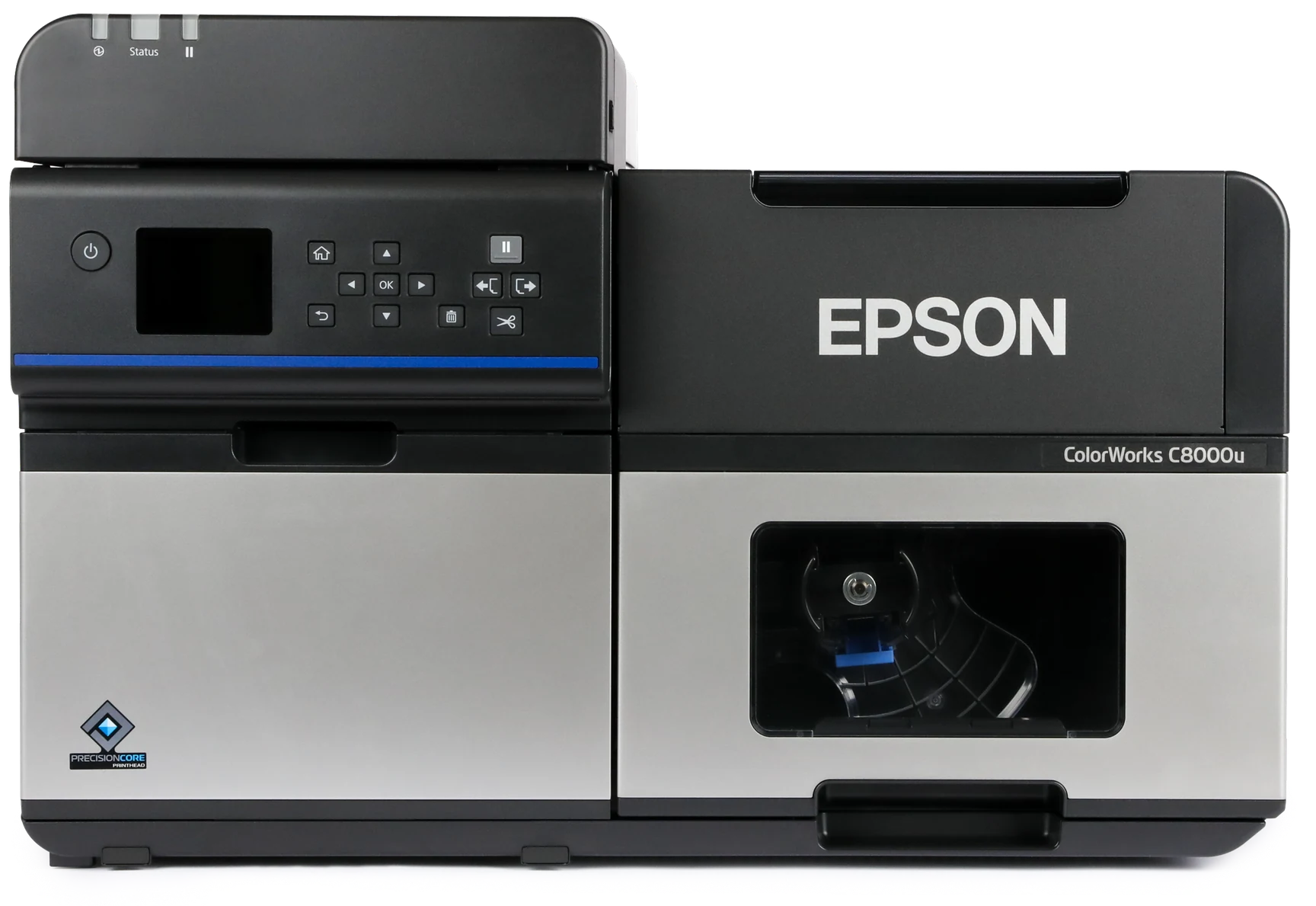
| Printer Dimensions | 24.4" x 15.4" x 16.5" |
|---|---|
| Printer Weight | 79.4 lbs |
| Printer Shipping Weight | 94.8 lbs |
| Remote Management | Yes |
| Connectivity | Ethernet 1000Base-T/100Base-TX/10Base-T, USB 2.0, USB 3.0, Wi-Fi Optional |
|---|---|
| Printer Language | ESC/Label, ZPL II emulation |
| Operating Systems | Windows 11, 10 (32-bit/ 64-bit), 8.1 (32-bit/ 64-bit), Windows Server 2022, 2019, 2016, 2012 R2, 2012, OS X 10.9.5 or later, macOS 10.12 or later. Operation confirmed: CentOS 7 (x86_64), Ubuntu 20.04 (x86_64) |
| Factory Warranty | 1 Year |
| Printhead | PrecisionCore® Line Head |
|---|---|
| Ink Type | UltraChrome® DL pigment ink |
| Ink Colors | CMYK in individual pigment ink |
| Feed Option | Auto Cutter |
| Max Print Speed | 11.8" per second |
| Max Resolution | 600 x 1200 dpi |
| Media Sensor | Gap, Black Mark, Continuous |
| Media Types | Gloss Paper, Matte Paper, Gloss Polypropylene, Matte Polypropylene |
|---|---|
| Media Thickness | 3.30 mils – 23.62 mils (0.084 mm – 0.600 mm) |
| Max Media Width (Including Liner) | 4.40" |
| Max Print Width | 4.25" |
| Max Print Length | 40" |
| Max Roll Outer Diameter | 8.0" |
| Inner Core Diameter | 3.0" |
Find the right Epson ColorWorks printer for your business. Compare key specifications, features, and pricing in the chart below.
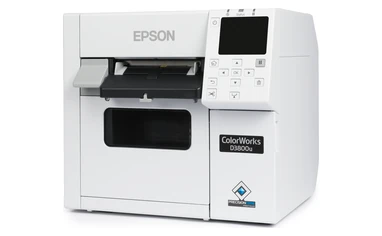
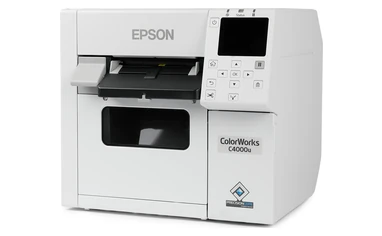
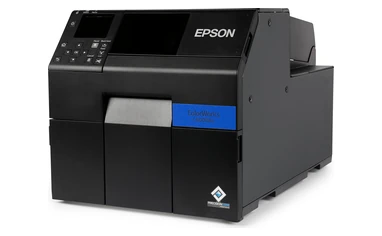
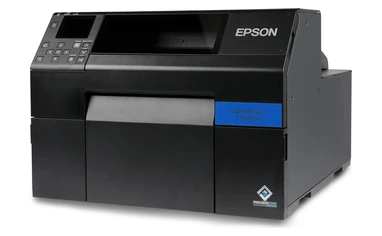
| Printer Models: | D3800 | C4000 | C6000 | C6500 | C8000 |
|---|---|---|---|---|---|
| Model Pictures |
|
|
|
|
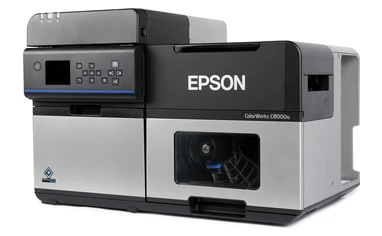
|
| Ink Type | Epson Genuine Dye Ink | UltraChrome® DL Pigment Ink | UltraChrome® DL Pigment Ink | UltraChrome® DL Pigment Ink | UltraChrome® DL Pigment Ink |
| Printhead | Serial Inkjet PrecisionCore® TFP® | Serial Inkjet PrecisionCore® TFP® | Serial Inkjet PrecisionCore® TFP® | Serial Inkjet PrecisionCore® TFP® | PrecisionCore® Line Head |
| Print Resolution | 600 x 1200 DPI | 1200 x 1200 DPI | 1200 x 1200 DPI | 1200 x 1200 DPI | 600 x 1200 DPI |
| Print Speed | 3.94" Per Second | 3.94" Per Second | 5.0" Per Second | 5.0" Per Second | 11.8" Per Second |
| Feed Options | Auto Cutter | Auto Cutter | Auto Cutter Or Peeler | Auto Cutter Or Peeler | Auto Cutter |
| Operating Systems | |||||
| Connectivity | Ethernet 1000Base-T/100Base-TX/10Base-T, USB 2.0, Wi-Fi Optional | Ethernet 1000Base-T/100Base-TX/10Base-T, USB 2.0, Wi-Fi Optional | Ethernet 1000-T/100-TX/10-T, USB 2.0 | Ethernet 1000-T/100-TX/10-T, USB 2.0 | Ethernet 1000Base-T/100Base-TX/10Base-T, USB 2.0, USB 3.0, Wi-Fi Optional |
| Resources | — | Our Printer Review | Our Printer Review | Our Printer Review | Our Printer Review |
| Pricing | Starting at $1,499 | Starting at $2,499 | Starting at $3,059 | Starting at $3,965 | Starting at $9,630 |
| Ink Set | One Dye Ink Set (No Matte/Gloss Choice) |
Available In Gloss And Matte | Available In Gloss And Matte | Available In Gloss And Matte | Available In Gloss And Matte |
| Max. Outer Diameter | 4.0" | 4.0" | 8.0" | 6.0" | 8.0" |
| Max. Print Width | 4.25" | 4.25" | 4.25" | 8.34" | 4.25" |
| Label Width (Including Liner) | Roll: 1.0" – 4.41" Fanfold: 2.0" – 4.41" |
Roll: 1.0" – 4.41" Fanfold: 2.0" – 4.41" |
Auto Cutter: 1.0" – 4.4" Peeler: 1.0" – 4.4" |
Auto Cutter: 1.0" – 8.5" Peeler: 1.0" – 8.5" |
Internal Roll: 1.0" – 4.40" External Roll/Fanfold: 1.97" – 4.40" |
| Buy Now | Epson D3800 | Epson C4000 | Epson C6000 | Epson C6500 | Epson C8000 |
| Media | Gloss Black Ink | Matte Black Ink |
|---|---|---|
| Matte Paper | Good Image | Richer Image ― Darker Black |
| Matte Polypropylene | Good Image | Richer Image ― Darker Black |
| Gloss Paper | Excellent Image | Not Recommended |
| Gloss Polypropylene | Excellent Image | Not Recommended |
The Epson ColorWorks CW-C8000 prints up to 11.8" per second (about 59 feet per minute) at 600 x 1200 dpi, making it the fastest ColorWorks printer. That’s more than twice as fast as the CW-C6000. On other ColorWorks printers, the printhead moves back and forth across the label as it prints. The C8000’s printhead stays in place and covers the full width of the label, so it can print continuously as the label moves through.
Yes. The Epson ColorWorks CW-C8000 replaces the discontinued TM-C7500 and TM-C7500G. The C8000 Gloss replaces the C7500G, and the C8000 Matte replaces the C7500. It has the same top speed of 11.8" per second and the same 4.25" print width, but it takes narrower media, down to 1" wide instead of 2". It also uses 480 mL ink packs instead of the C7500’s cartridges, and it uses the same SJMB7500 maintenance box as the C7500.
Choose the Epson ColorWorks CW-C8000 Gloss if you print on glossy paper, glossy film, high-gloss paper, or a mix of finishes. Choose the CW-C8000 Matte if you print on plain, textured, matte, or matte synthetic stock and want the darkest blacks. Both versions use the same cyan, magenta, and yellow ink packs. Only the black ink pack is different.
Choose the Epson ColorWorks CW-C8000 if you print high volumes and speed is your priority. Choose the Epson ColorWorks CW-C6000 if you need sharper 1200 x 1200 dpi print quality or a peeler.
The C8000 prints up to 11.8" per second, compared with 5" per second on the C6000. It also holds about 1.9 L of ink, compared with about 320 mL on the C6000, so you’ll change ink much less often. The C8000 adds USB 3.0, cloud-based fleet monitoring, and support for thicker media, up to about 0.024". The C6000 prints at up to 1200 x 1200 dpi, compared with the C8000’s 600 x 1200 dpi, and comes in a peeler version, while the C8000 only comes with an auto-cutter.
The Epson ColorWorks CW-C8000 prints up to 4.25" wide. Internal rolls can be 1.0" to 4.4" wide (including liner), and external rolls and fanfold can be 1.97" to 4.4" wide. Labels can be 0.31" to 40" long. Internal rolls can be up to 8" in outside diameter on a 3" core. Media thickness can range from 0.0033" to 0.0236".
Yes, with the right media. The Epson ColorWorks CW-C8000 with UltraChrome DL pigment ink is BS 5609 certified when paired with a certified synthetic label stock. Not every GHS label needs BS 5609, but any that do must be printed on a certified synthetic stock, since the certification applies to the printer and label material together.
No. The Epson ColorWorks CW-C8000 works with labels from any manufacturer as long as they’re inkjet-receptive and fit the printer’s width, core, and outside diameter limits. Smith Corona makes compatible 3" core, 8" OD inkjet labels in gloss paper, matte paper, and polypropylene. Ask us whether we have rolls in your size. The only supply that must be Epson-brand is the ink.
Yes. The Epson ColorWorks CW-C8000 prints on die-cut labels, full-page labels, continuous labels, and tags up to 0.0236" (0.6 mm) thick. That’s much thicker than the 0.009" limit on the CW-C4000 and CW-C6000. The gap between die-cut labels must be about 0.12" to 0.24" (3–6 mm). Our labels have a 0.125" gap, which falls within that range.
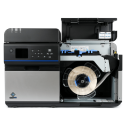
Yes. The Epson ColorWorks CW-C8000 works with Epson’s TU-RC8000 Take-Up Unit, a rewinder that winds your printed labels back onto a 3" core, ready for an automatic label applicator or for storing until you need them. It works with both the Gloss and Matte versions. The C8000 can also feed from external rolls or fanfold media 1.97" to 4.4" wide through the back of the printer.
The Epson ColorWorks CW-C8000 has drivers for Windows 11, 10, and 8.1, Windows Server 2012–2022, and macOS (Mac OS X 10.9.5 or later). Operation has also been confirmed on CentOS 7 and Ubuntu 20.04 (x86_64).
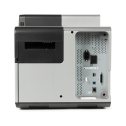
The Epson ColorWorks CW-C8000 comes with USB 3.0, USB 2.0, and Gigabit Ethernet. For Wi-Fi, you’ll need the optional Wi-Fi dongle (OT-WL06). It also has a GPIO port for connecting automatic label applicators. With Epson Cloud Solution PORT, you can check the printer’s status, ink use, and operation history remotely.
Yes. The Epson ColorWorks CW-C8000 supports Zebra ZPL II natively, so your existing ZPL label formats can print without reprogramming. You can add color to your labels using ESC/Label color extensions. It also works with SAP Direct Printing and has a port for connecting automatic label applicators. Test complex ZPL formats on the C8000 before rolling it out across your fleet.
Yes. The Epson ColorWorks CW-C8000 works with Epson Cloud Solution PORT, which lets you check each printer’s status, ink use, and operation history from anywhere, without going to each printer. That makes it easier to keep high-volume printers running and plan ink orders before you run out.
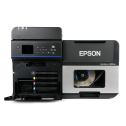
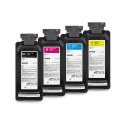
The Epson ColorWorks CW-C8000 uses four 480 mL SJIC47P pigment ink packs. Every C8000 uses the same cyan (SJIC47P-C), magenta (SJIC47P-M), and yellow (SJIC47P-Y) packs. The black pack is Gloss Black (SJIC47P-BK). Only genuine Epson ink packs work in the C8000, and the TM-C7500’s cartridges won’t fit.
The Epson ColorWorks CW-C8000 uses four 480 mL SJIC47P pigment ink packs. Every C8000 uses the same cyan (SJIC47P-C), magenta (SJIC47P-M), and yellow (SJIC47P-Y) packs. The black pack is Matte Black (SJIC47P-MK). Only genuine Epson ink packs work in the C8000, and the TM-C7500’s cartridges won’t fit.
The Epson ColorWorks CW-C8000 uses the SJMB7500 maintenance box, the same one as the discontinued TM-C7500 and TM-C7500G. If you’re upgrading from a C7500, your spare maintenance boxes will still fit. The box collects waste ink from printhead cleaning, and you’ll need to replace it when the printer says it’s full. One comes with the printer, but we suggest keeping a spare on hand so you aren’t stuck waiting when it fills up.
Each Epson ColorWorks CW-C8000 ink pack holds 480 mL, about 40% to 60% more ink than the TM-C7500’s cartridges. Larger packs mean a lower cost per milliliter of ink, fewer ink changes, and less packaging waste on high-volume runs. Your actual cost per label still depends on how much of each label your design covers and the media you use. For a real cost per label, send us your artwork and monthly volume, and we’ll give you an estimate.
The auto-cutter on the Epson ColorWorks CW-C8000 is rated for up to 1.5 million cuts. The paper-feed mechanism is rated for about 311 miles (500 km) of media, the longest of any ColorWorks printer.
Faded or smeared black on Epson ColorWorks CW-C8000 Matte labels usually means you’re printing on glossy media. Matte black ink is made for porous surfaces like plain, textured, and matte stock. On glossy paper or film, it sits on top instead of soaking in, so it can look faded or smear easily. To fix it, switch to plain, matte, or matte synthetic stock. If you need glossy labels, the CW-C8000 Gloss is a better fit, since its gloss black ink works on both gloss and matte finishes. It’s also worth checking that the media type setting in the driver matches the label stock you loaded.
Smudged Epson ColorWorks CW-C8000 Gloss labels on plain paper usually mean the media type setting doesn’t match your stock. Plain paper absorbs ink differently than gloss media, so the setting matters. If it’s wrong, ink can take longer to dry, so labels can smudge easily. To fix it, set the media type to plain paper and let labels dry completely before handling them. If you mostly print on plain, textured, or matte stock, the CW-C8000 Matte is a better fit, since its matte black ink is made for porous surfaces.
Streaks or white lines on Epson ColorWorks CW-C8000 labels usually mean the printhead nozzles are clogged. Print a nozzle check pattern from the printer’s Maintenance menu or the driver utility. If any lines are missing, run a printhead cleaning and print the pattern again. It’s also worth checking that the media type setting matches the label stock you loaded, and that your ink packs aren’t past their expiration date.
Skipped labels, blank labels, or a media error on the Epson ColorWorks CW-C8000 usually mean the media detection setting doesn’t match your label stock. This often happens when you switch to a new roll. Set the detection mode (gap, black mark, or continuous) and the label dimensions to match your roll, then run media detection so the sensor learns the gap or mark. The gap between die-cut labels must be about 0.12" to 0.24" (3–6 mm). Our labels have a 0.125" gap, which falls within that range. The C8000’s gap sensor can also be moved from 0.12" to 2.20" from the left edge, so make sure it lines up with the gaps on your labels.
Your Epson ColorWorks CW-C8000 is cutting in the wrong spot because it isn’t detecting the gaps between your labels correctly. This usually happens when the media detection setting or label dimensions don’t match your roll, or when the gap sensor isn’t lined up with the gaps. To fix it, set the detection mode to gap or black mark, enter the exact label dimensions, and make sure the gap sensor lines up with the gaps on your labels. Then run media detection so the printer learns where each label ends.
Yes. Every Epson ColorWorks CW-C8000 (Gloss or Matte) bought online from Smith Corona comes with a one-time-use $1,500 coupon for free blank inkjet labels. We’ll email you the coupon after your purchase. It can only be used on blank inkjet labels, not tax, shipping, or other products. If you don’t receive it, email us at support@smithcorona.com.
The Epson ColorWorks CW-C8000 may have a lead time, depending on availability. Call us at 800-875-7000 to check current availability.
The Epson ColorWorks CW-C8000 comes with Epson’s 1-year limited warranty with depot repair, meaning you send the printer to Epson to be fixed. You can extend your coverage to as much as 5 years total with an Epson extended service plan.
Yes. An Epson Preferred Plus Spare-in-the-Air plan upgrades the Epson ColorWorks CW-C8000’s standard depot repair to a next-business-day exchange. Instead of sending your printer in to be fixed, Epson ships you a replacement printer the next business day, with shipping paid both ways. It’s especially worth it for production lines where downtime is expensive. Plans come in 1-, 3-, and 5-year terms. Call us at 800-875-7000 for pricing.
Evaluate your artwork in print before choosing your labels. Request a sample printed with an Epson ColorWorks printer to review the colors, detail, and label material firsthand.
Email support@smithcorona.com with your preferred label size, finish, and material. Attach your artwork as a PDF file.
We may not have your exact label size available for a sample print, but we’ll work with you to find a suitable alternative for evaluating your design and print quality.
Watch your inbox after submitting your request, as we may contact you to confirm details or ask for additional information.
Explore label materials for your application. Request samples directly from the product page for any stock inkjet label.
Questions? Email info@smithcorona.com to discuss available sample options.
Whether you have a question about your Epson ColorWorks printer, compatible inkjet labels, or an order, Smith Corona is here to help. Contact our team to discuss what you need and the next steps.
Email: support@smithcorona.com
Phone: 800-875-7000
Include your printer model, a brief description of your question or issue, and any error messages. For print quality concerns, attach a photo of the printed label to your email. If you’re contacting us about an order, please include your order number.

Smith Corona is a certified Epson partner, offering the best in ColorWorks label printing solutions. Whether you need vibrant, full-color labels or a reliable on-demand printing system, we provide expert support and factory-direct pricing. Explore our selection of Epson ColorWorks printers and labels, backed by our commitment to quality and customer service.


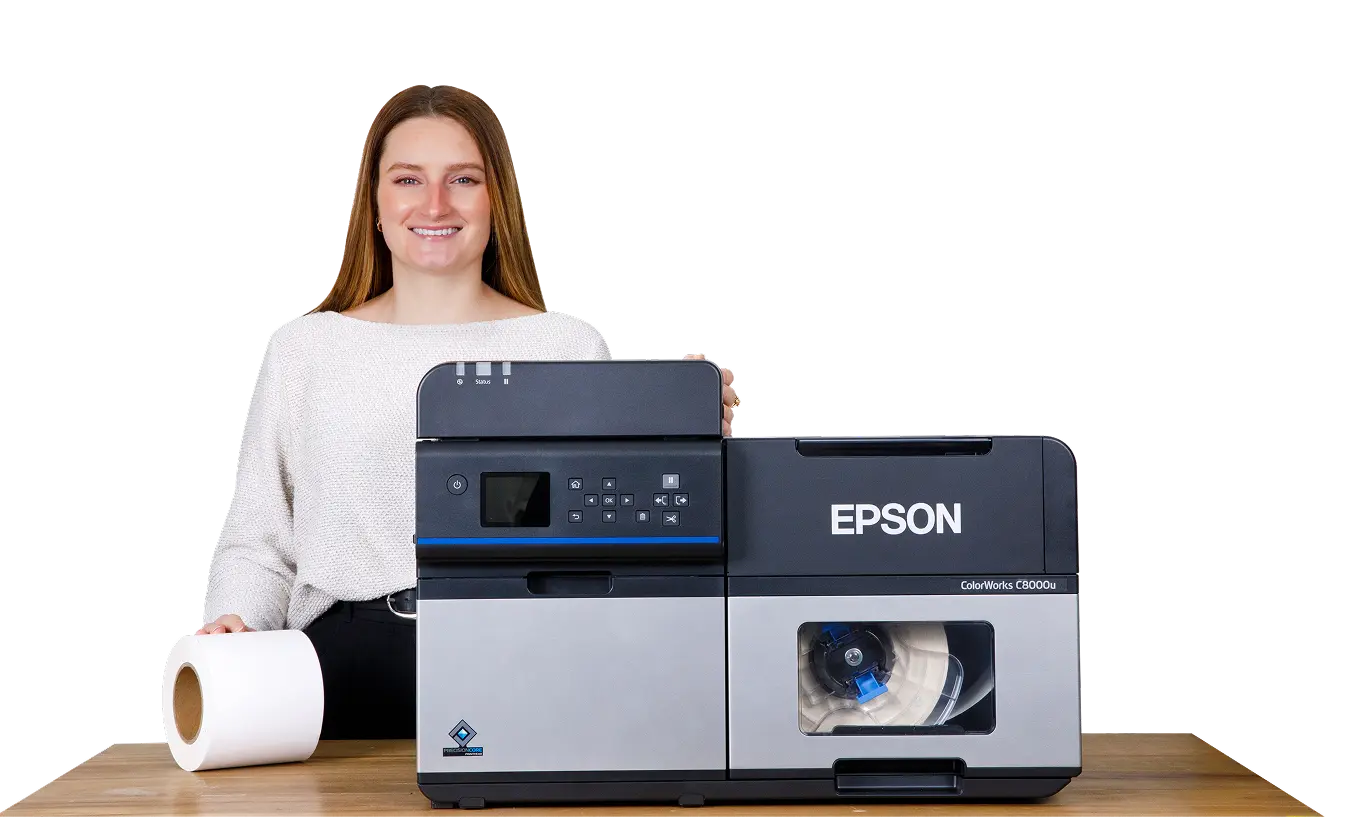

If you are looking for a high-speed, full-color label printer that can handle serious volume, Epson’s new ColorWorks C8000 might be what you’ve been looking for.
It’s designed to replace the C7500—the same speed and print quality—but with some upgrades that make it easier to work with day to day. The Epson C8000 features larger ink cartridges,a more user-friendly interface and better connectivity options for smoother integration into your operation.
In this review, we’ll look at what’s new, what stayed the same, and whether the C8000 is a good fit for your application.
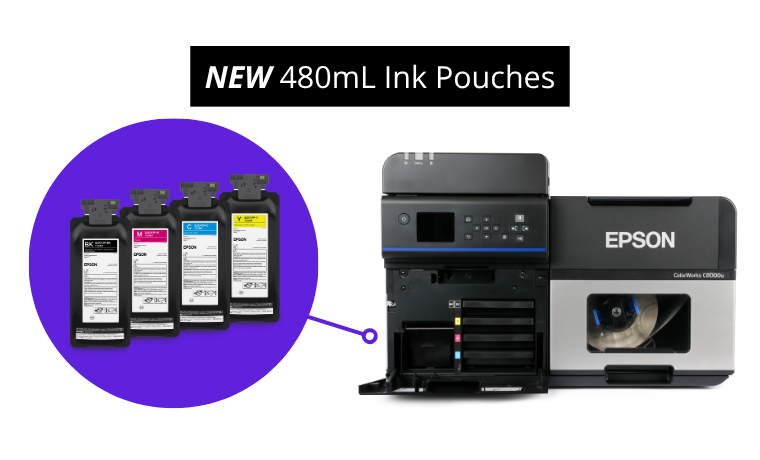
Before you dive in, there’s one crucial choice to make: matte or gloss ink. Unlike some printers that allow you to switch between types of ink, you’re locked in with the Epson C8000—there’s no going back.
So what’s the difference?
Gloss Ink: The more versatile option—gloss ink works on both gloss and matte materials. When used with gloss media, it boosts vibrancy and sharpness for more eye-catching labels.
Matte Ink: Specifically formulated for matte media, this ink produces darker blacks and richer images on matte and plain label materials.
Both ink types use Epson’s UltraChrome DL pigment-based ink, designed for long-lasting, smudge-resistant labels.
Plus, the new 480mL high-yield ink pouches are 41% bigger than the C7500 cartridges,so you’ll spend less time swapping ink and more time printing.

If you’re looking for a printer that can handle large labels, the Epson C8000 isn’t it. Just like the C7500, it maxes out at 4 inches wide.
However, the C8000 does offer more flexibility for smaller labels. Its minimum print width is just 1 inch, compared to the C7500’s 2-inch minimum — making it a better fit for smaller label applications.
That being said, a 4-inch width covers most needs — from shipping and inventory labels to product branding. And with an auto cutter, you can easily print variable-length labels without needing multiple roll sizes.
If there’s one area where the Epson could have leveled up, it’s the print resolution. The C8000 sticks with a 600 x 1200 dpi, which is fine for most jobs. However, if you’re looking for ultra crisp details for intricate visuals, this might not be the leap forward you were hoping for.
What the Epson C8000 lacks in print resolution, it makes up for in speed. This is the fastest printer in the Epson ColorWorks lineup, cranking out labels at 11.8 inches per second, — rivaling thermal printer counterparts that reach speeds up to 14 inches per second.
If you’re in a high-volume environment, this is a game changer.

High-volume printing requires minimizing downtime, and that’s where the right accessories make all the difference. That’s where the rewinder and roll-to-roll system comes in.
The rewinder collects printed labels onto a new roll. It keeps finished labels organized making them easier to store or use with automated applicators.

A roll-to-roll system combines both the unwinder and rewinder into one synchronized setup. It feeds blank labels into the printer and rewinds the finished label onto a new roll. This creates a clean continuous workflow— ideal for long print jobs where you need finished rolls that are ready to go.
Like every other Epson ColorWorks printer, the C8000 doesn’t include built-in label design software. But that actually gives you more flexibility to choose the best software for your needs.
Whether you’re designing barcodes, GHS-compliant labels, or high-end product branding, there’s a software solution for you:
Since the C8000 is compatible with Windows, Mac, Linux, SAP, and major middleware platforms, you have plenty of options to integrate with your existing workflow.
However, Windows users get the most robust settings and controls, making it the preferred platform for many businesses.

With the Epson ColorWorks C7500 being discontinued, the C8000 steps in as its powerful and feature-packed successor. Designed to improve efficiency and flexibility, the C8000 offers upgraded functionality that makes color label printing easier than ever.
The LCD screen simplifies troubleshooting and maintenance with step-by-step guidance. It lets you adjust settings directly on the printer and provides real-time updates on print jobs, ink levels, and any errors, keeping your workflow smooth and efficient.
With Wi-Fi and cloud printing, you can place the Epson C8000 wherever it fits best— no cables required. Monitor ink levels, job status, and print history remotely, and easily integrate the printer into your existing workflow.
The Epson C8000 is built for efficiency, using PrecisionCore Heat-Free Technology to lower energy consumption and optimize ink use—all while delivering high-performance prints. Compared to the older C7500G, which pulls 50-60 watts during printing, the C8000 offers a more power-conscious way to keep your workflow running strong.
The Epson ColorWorks C8000 isn’t just a replacement for the C7500 — it’s a clear step forward. With faster speeds, smarter features, and better flexibility for smaller label sizes, it’s built to keep up with demanding workflows.
Sure, it doesn’t boost the resolution, and you still have to commit to matte or gloss ink up front. But the productivity upgrades — like the bigger ink pouches, remote management, and roll-to-roll support — make it a strong choice for high-volume color label printing.
If you’re looking to speed things up and simplify your label process, the C8000 delivers.
From national brands to growing small businesses, companies across every industry trust Smith Corona for dependable labeling and printing supplies.












“After testing several suppliers, we chose Smith Corona because they delivered the best overall value. The pricing is noticeably better, the labels run clean, and our printers accepted them right away. No surprises or no downtime. Their quick shipping and friendly support staff have made every reorder a simple process.”

Better pricing, dependable supply, fast shipping, and real support. Everything you need to keep your labeling operation running smoothly.
Our customers consistently save compared to major marketplaces and distributors, without sacrificing quality or performance.
Orders ship fast so you can keep printing, labeling, and shipping without interruption.
Our labels and supplies are tested for clean performance and consistent printing, backed by our satisfaction guarantee.
Real people, real help. Our team is here to answer questions, recommend the right products, and make reordering simple.
 Thank You!
Your Request Has Been Successfully Submitted
Thank You!
Your Request Has Been Successfully Submitted
One of our experts will be in touch shortly! If you have any immediate questions, you can always call us Monday through Friday (9:00 AM EST to 5:00PM) at 800-875-7000